How to Avoid Buying Activation Locked Devices From Online Marketplace Sellers
· 9 min read
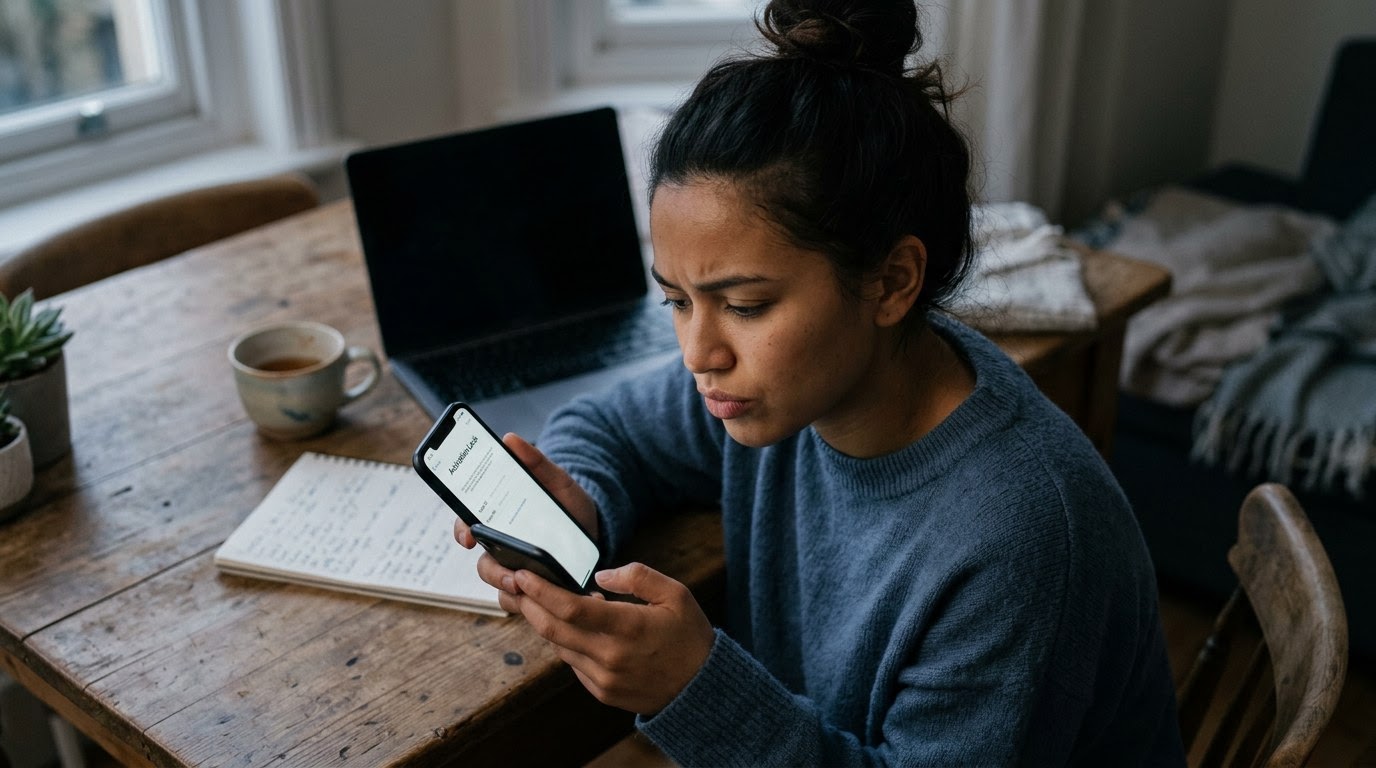
Buying a secondhand smartphone, tablet, or smartwatch can save you hundreds of dollars, but online marketplaces have become hot spots for activation lock scams. In this scheme, dishonest sellers list stolen, blacklisted, or finance-locked hardware that becomes an unusable brick the moment you try to set it up. The financial loss hurts, but the emotional sting of realizing you handed cash to a stranger who blocked your number immediately afterward is worse. As of October 2026, verification before meeting has become standard practice for smart buyers; running a TrustCheck takes 60 seconds and ties a name to a real phone, real email, and a real digital footprint. Protecting yourself starts with understanding how sellers hide locked hardware and learning how to test device status in real time.
The Seller Refuses to Provide the IMEI or Serial Number Before Meeting
If a seller ignores or denies your request for a device's IMEI—the International Mobile Equipment Identity, which is a unique 15-digit identifier assigned to every cellular device—they are likely hiding a blacklisted, stolen, or unpaid carrier status. Honest sellers understand that buyers need this number to check official databases before meeting. When someone makes excuses about privacy or claims they do not know how to find it, they are usually preventing you from discovering that the phone cannot connect to cellular networks.
Checking the hardware identifier before a meet-up is the digital equivalent of reviewing a vehicle history report before buying a used car. By running an IMEI through free online carrier checking tools, you can instantly see if the previous owner reported the device lost, if it carries an outstanding balance with a wireless provider, or if it is currently locked to a specific carrier. Scammers know that sharing this unique code allows you to verify ownership and network eligibility long before you meet in person, which is why they routinely refuse to share it.
Consider Marcus, a buyer looking for a secondhand flagship phone on a local classified site. He found a listing for a current-generation device priced at a fair discount. When Marcus requested the IMEI to check network compatibility with his provider, the seller claimed that sharing the number was unsafe because hackers could clone it. Marcus paused. Cellular carriers and consumer protection groups consistently clarify that sharing an IMEI is safe for verification purposes. Marcus declined the meet-up, only to see the same seller listed under a different profile name two days later with identical stock photos.
The Seller Claims the Battery Is Dead or Demands Cash Before You Turn It On
A seller who delivers a completely drained device or insists on collecting cash before you press the power button is trying to stop you from seeing the activation screen. An activation lock—a security feature that ties a device directly to an owner's cloud account, preventing anyone else from erasing or setting it up—only displays once the screen turns on and reaches the configuration steps. Forcing you to pay before powering the device on ensures you pay for a locked device before noticing the issue.
Never hand over money or complete a peer-to-peer payment for electronics that you have not watched boot up completely. Dishonest sellers intentionally let batteries drain to zero so you cannot test basic screen operations, touch sensitivity, or account status during a quick meet-up. They count on your desire to finish the transaction quickly and your hesitation to sit around waiting for a portable charger to power up the device.
Elena met a seller in a public coffee shop parking lot to purchase a lightweight tablet. The seller handed her the device, which immediately displayed an empty battery icon and powered down. The seller assured her that it worked perfectly, claimed he was running late for an appointment, and asked for the cash right away. Elena brought out her own high-output portable power bank and plugged in the cable. Within three minutes, the tablet booted up, revealing an Apple ID activation screen demanding a password from an unknown email address. The seller snatched the tablet back, claimed his brother must have locked it, and left quickly.
The Price Is Significantly Below Market Value with an Urgency Excuse
When a high-end electronic device is listed at half its typical market value accompanied by a rush story, the seller is using pressure to bypass your safety checks. Scammers craft artificial urgency—such as moving out of state today, paying an urgent medical bill, or selling on behalf of a relative—to make you feel like you will lose a rare bargain if you pause to ask technical questions.
Urgency triggers a fear of missing out, which leads buyers to skip basic verification steps like testing Wi-Fi connectivity, inserting a personal SIM card, or checking for remote management profiles. If a current-generation smartphone that routinely sells for six hundred dollars on resale platforms is listed for two hundred dollars, there is almost always a structural, legal, or software flaw attached to it.
According to FTC reports from 2024, online shopping and marketplace fraud resulted in over $390 million in reported consumer losses, with fake listings and locked electronics representing a major category of buyer complaints. When a deal seems suspiciously cheap, the heavy discount usually reflects the fact that the item is permanently locked to a corporate network or an unknown cloud account. Genuine sellers who need quick cash might discount an item slightly, but they will still allow you to take five minutes to inspect the hardware and verify account status.
The Seller Insists on Remote Payment or Shipping Without Platform Protection
If a seller refuses an in-person meet-up or demands that you pay using non-refundable payment options, they are setting up a transaction where you have zero recourse if an activation-locked device arrives in the mail. Scammers frequently post desirable electronics in cities where they do not live, asking buyers to send funds through untraceable wire transfers or peer-to-peer apps marked as personal payments to avoid platform fees.
Legitimate marketplace transactions should happen in safe, public locations where you can test hardware live, or through platform checkout systems that hold funds until delivery and verification are complete. When a seller redirects you away from official marketplace checkout systems or messaging tools, you forfeit all built-in buyer protection policies.
David found an advanced smartwatch listed online at an appealing price. The seller claimed to be a deployed service member who could only ship the item once David transferred funds via a peer-to-peer payment app using the cash-transfer setting. The seller promised that the watch was brand new in its original box and fully factory reset. Trusting the detailed story, David sent the funds. Two days later, a package arrived containing a watch that immediately displayed an active user lock screen. When David tried to contact the seller for help, the user profile had been deleted and the contact number was disconnected, leaving him with no path to recover his money.
The Device Shows an "Owner Locked" Screen or Asks for an Unknown Account Password
Seeing a system screen that asks for a previous owner's email, passcode, or Google account credentials during setup means the device is currently unusable. On Android devices, this is often caused by FRP—Factory Reset Protection, a built-in Android safety feature that locks a device to its original owner's Google account after a hard reset. If the seller cannot enter those credentials directly in front of you, you should walk away immediately.
Many dishonest sellers claim that an activation lock screen is just a minor software glitch that you can fix at home with third-party software or by watching an online tutorial. That is rarely true. Modern mobile operating systems build activation locks deep into the hardware security chip. Without the original owner entering their personal password or removing the device from their online account portal, third-party bypass methods are unreliable, temporary, or completely neutralized after the next system software update.
Another common variation involves corporate administrative controls, known as MDM—Mobile Device Management, software used by companies to control and remotely lock corporate-owned hardware. If a device boots up and displays a company logo or prompts for corporate single sign-on credentials, it was likely decommissioned improperly or taken from an employer without authorization. Neither phone repair shops nor cellular network carriers can legally remove legitimate cloud or corporate security locks for a buyer.
The Seller Offers to "Unlock It Remotely" After You Pay and Leave
Promises from a seller that they will log into their account at home later to remove an activation lock are a classic exit tactic. Once cash changes hands, an unauthorized seller has zero incentive to log into a cloud portal or respond to your follow-up text messages. A legitimate seller will remove their account, disable location tracking features, and reset the device to factory settings while you are standing together.
Removing a device from a personal cloud account takes less than sixty seconds if the person standing in front of you is the rightful owner. They can simply open account settings on another mobile device or access the service provider's account portal via a mobile browser to remove the device from their trusted hardware list. When a seller claims they forgot their password, do not have cellular data to log in, or need to wait until they get to a home computer, they are almost certainly selling hardware that belongs to someone else.
Do not accept written promises, handwritten receipts, or photo IDs as collateral for a locked device. If the phone, tablet, or wearable cannot be fully wiped, set up as a brand-new device, and taken to the primary home screen while you sit together, the transaction is incomplete and unsafe.
| Feature | Safe Seller Behavior | Scam Seller Behavior |
|---|---|---|
| IMEI / Serial Sharing | Provides IMEI or serial number upfront for verification checks. | Refuses to share IMEI, claiming it compromises privacy or security. |
| Power & Battery State | Delivers device fully charged so you can test startup and setup. | Delivers device with a dead battery or rushes you before it powers on. |
| Account Status | Wipes account live and verifies access to the main home screen. | Promises to unlock the account remotely after you leave with the item. |
| Payment Preference | Accepts cash upon live inspection or protected platform checkout. | Demands advance payment via non-refundable peer-to-peer options. |
| Meeting Location | Agrees to meet in a well-lit, public location like a police precinct lobby. | Insists on dark parking lots, changes spots last minute, or avoids meeting. |
What to do if you spot these signs
- Pause the transaction immediately: Refrain from sending initial deposits, digital holds, or cash payments until all hardware checks are complete.
- Request and check the hardware identifier: Obtain the 15-digit IMEI or serial number and run it through official carrier compatibility tools and stolen device registries.
- Verify the seller's identity online: Before meeting a stranger from a classified ad, perform an identity check using TrustCheck to verify their contact details, confirm their name matches their listed profile, and review their digital footprint.
- Test the complete setup process in person: Power on the device, connect to a mobile hotspot, walk through the initial configuration steps, and ensure it reaches the home screen without demanding an unknown password.
- Report suspicious marketplace listings: If a seller provides a fake IMEI, attempts to sell locked corporate property, or disappears after you ask for basic checks, report the user profile directly to the marketplace platform.
Trusting your gut is valid when dealing with strangers on online marketplaces, and taking a moment to verify details protects both your wallet and your peace of mind. You do not need to feel uncomfortable demanding basic verification steps before spending your money. Real sellers expect buyers to test electronics and confirm identities, while scammers rely on speed and confusion to complete bad deals. Running a quick TrustCheck before you meet gives you the clarity you need to buy secondhand devices with confidence.
Frequently asked
What is an activation lock on a smartphone or tablet?
An activation lock is a built-in security feature that links a device directly to an owner's personal cloud account. It prevents anyone else from erasing, reactivating, or using the device without entering the original account owner's password.
Is it safe to share or ask for an IMEI number before buying?
Yes, asking for or sharing an IMEI number is safe and standard practice. Buyers use this 15-digit code to check if a device has been reported stolen, carries unpaid carrier bills, or is locked to a specific network.
Can a repair shop or carrier remove an activation lock for me?
No, legitimate phone repair shops and mobile network carriers cannot legally or technically remove cloud activation locks or corporate management profiles. Only the original account holder or device owner can remove the lock by entering their account credentials.
What should I do if a seller says they will unlock the phone after I leave?
Do not complete the purchase or hand over payment. A legitimate owner can remove the device from their account in under sixty seconds using another phone or web browser while standing directly in front of you.
How can I test if an Android phone has Factory Reset Protection enabled?
Power on the Android device, select your language, connect to a mobile hotspot or Wi-Fi network, and proceed through the initial setup screens. If FRP is active, the system will block setup and demand the previous owner's Google account details.