How Scammers Use Fake QR Code Payments During In-Person Swaps
· 9 min read
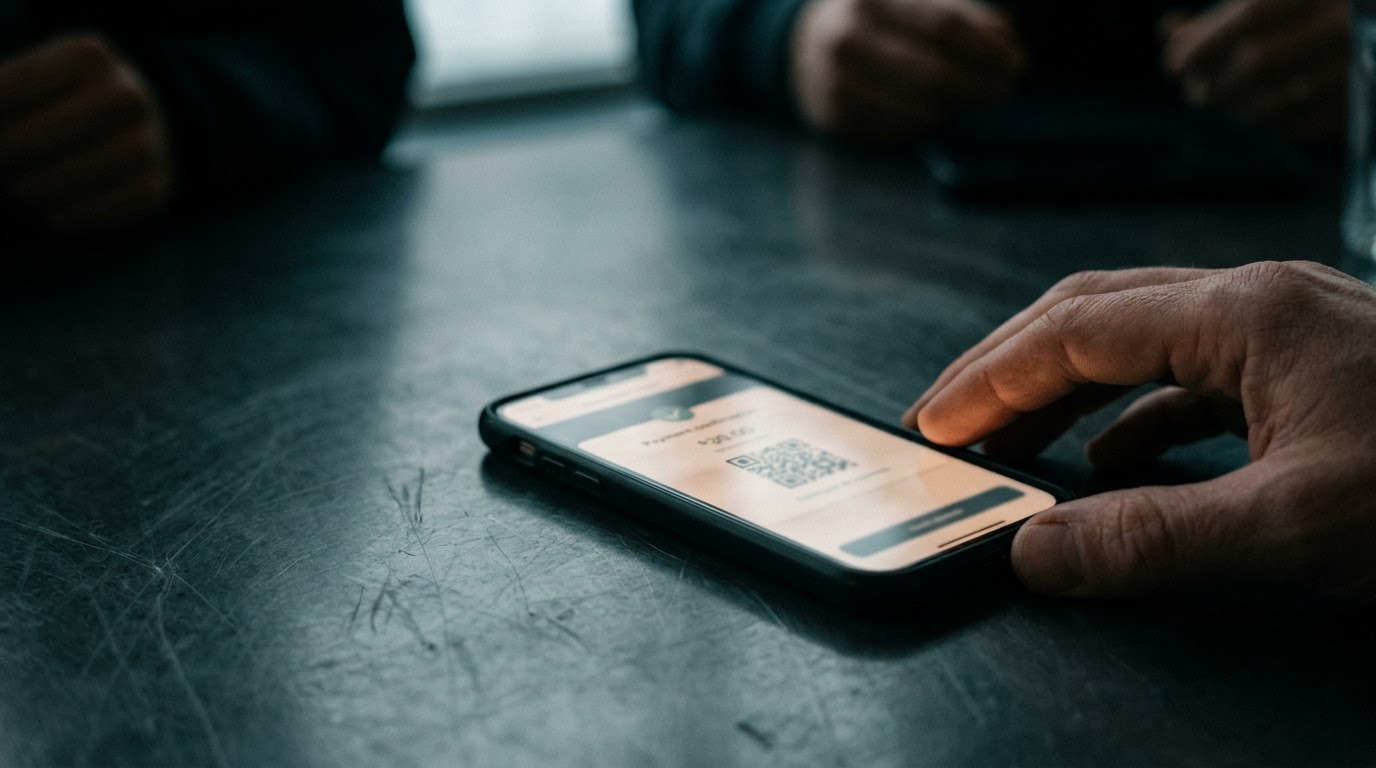
As of August 2026, local peer-to-peer marketplaces remain a primary venue for trading secondhand goods, yet sellers face an increasingly sophisticated threat during face-to-face exchanges. Known as fake QR code payment manipulation, this tactic turns routine local pickups into immediate financial theft, costing victims between $300 and $2,500 per incident. FTC data shows payment fraud losses reached over $210 million in 2024. Understanding the technical mechanics and social engineering tactics behind this scam is essential for anyone selling items through local classifieds or social platforms.
How the Scam Unfolds
A fake QR code payment scam during an in-person swap unfolds when a scammer poses as a motivated local buyer, agrees to meet face-to-face, and manipulates the transaction by presenting a malicious QR code on their own smartphone screen. Instead of transferring payment to the seller, scanning the code opens an authorization prompt, money request, or credential-harvesting page that drains funds from the victim while the scammer takes the merchandise.
Consider a typical sequence involving a seller listing a high-end laptop or smartphone on a local marketplace platform. The buyer responds quickly, agrees to the asking price without negotiation, and insists on meeting in person that afternoon. What seems like an ideal sale is actually a orchestrated script designed to exploit technical confusion during a brief, high-stress physical encounter.
- Rapid Acceptance and Pretext Creation: The scammer contacts the seller within minutes of the item being posted. They build initial trust by agreeing to the full asking price and offering to meet at a convenient public location, such as a coffee shop or parking lot. During messaging, they mention preferring contactless app payments like Venmo, Zelle, or PayPal via QR code for convenience and speed.
- Refusal of Native Seller QR Codes: Prior to or during the meeting, the seller might offer to display their own personal payment QR code or provide their account handle. The scammer dismisses this option using a pre-planned excuse. They might claim their business bank account only permits outgoing transactions through an authorized scanner portal, or that their company payment app requires scanning the counterparty's device directly.
- The Physical Encounter and Tactical Distraction: The meeting takes place in person. The fake buyer inspects the item briefly to establish a sense of normalcy and urgency. They may engage in fast-paced conversation, complain about being late for work, or hold the item while handling their phone to create slight sensory overload and reduce the seller's focus on the mobile screen.
- Presenting the Inverted QR Code: The scammer opens a custom web application or pre-configured screen on their phone that displays a prominent QR code. They tell the seller, "Scan this with your camera or banking app to accept the funds." In reality, this QR code does not represent an incoming deposit. It embeds a payload URL designed to execute a pull transaction, open an auto-debit approval page, or load a phishing mirror of a popular payment gateway.
- Executing the Authorization Trap: When the seller scans the buyer's QR code using their smartphone camera, the link redirects them to an external browser page or triggers an app deep-link. The screen prompts the seller to click "Confirm," "Authorize," or log into their bank. Because the seller expects to receive money, their brain interprets the notification as a deposit verification step. In truth, tapping the button authorizes an instant electronic debit from the seller's account to the scammer's prepaid wallet.
- The Immediate Departure and Disappearance: Once the transaction process completes on screen, the scammer shows a fabricated success notification on their own phone. They thank the seller, take the item, and leave the location immediately. By the time the seller opens their banking application to confirm the cash balance, they discover no payment arrived—and instead, funds were drawn out. The scammer blocks the seller's phone number and deletes their marketplace profile within minutes.
Who Gets Targeted and Why
Scammers target private individual sellers on local marketplaces—such as Facebook Marketplace, Craigslist, and OfferUp—who sell high-value electronics, jewelry, or designer goods. Fraudsters choose these targets because private sellers usually lack commercial payment processing tools, operate under physical distraction during in-person meetups, and frequently trust mobile payment visual confirmations without double-checking their own bank balances.
An FBI report revealed that peer-to-peer digital transaction fraud increased by over 30% between 2023 and 2025. This growth reflects a deliberate pivot by organized fraud rings away from purely online shipping scams toward hybrid in-person encounters. In-person meetings lower the seller's skepticism; most people assume a fraudulent buyer would not risk meeting face-to-face.
The psychological hook relies on structural cognitive overload. During a face-to-face exchange with a stranger, your brain manages multiple sensory inputs: assessing physical safety, watching your valuable item, managing social politeness, and handling technology. Scammers deliberately create time pressure. They talk continuously, check their watch, or hold your merchandise while pressing you to complete the digital scan quickly.
Casual sellers are particularly vulnerable because they do not process payments daily. They may be vaguely aware that QR codes facilitate peer-to-peer transfers, but they rarely understand the distinction between a receiver QR code (which shares an account handle) and a request or auto-debit QR code (which initiates a pull request). Fraudsters exploit this knowledge gap with convincing fake mobile web interfaces that mimic legitimate banking branding.
Stage of the Scam Breakdown
Understanding the progression of a fake QR code payment scam requires tracking the gap between what a buyer claims and what is technically occurring on screen. From initial messaging to the moment of physical handover, fraudulent buyers use scripted pretexting to swap cash requests for authorization links, transforming a simple sales transaction into an account drain.
| Stage of the Scam | What the Scammer Says | What's Actually Happening |
|---|---|---|
| Initial Outreach | "I will buy this right now at full price. Can we meet today? I pay via instant QR app." | The scammer screens local listings for targets selling easily resold goods who appear open to digital payment methods. |
| Setup & Pretext | "My account is a corporate portal, so I have to generate the transaction code on my screen for you to scan." | The scammer sets up a reverse-debit link or phishing mirror on a custom web app to bypass standard payment transfer safety checks. |
| Physical Meetup | "Everything looks great! Let me pull up the transaction QR code so you can collect your cash." | The scammer takes physical possession of the item while displaying a malicious link disguised as a payment receipt terminal. |
| The Scan Execution | "Just point your camera at my phone and tap confirm to register your account for the transfer." | Scanning the code launches a prompt requesting account login credentials or authorizing an outgoing push-payment from your bank account. |
| The Departure | "See, my screen says payment sent! Thanks for the smooth deal, I have to run." | The scammer displays a static fake receipt graphic, takes the item, and exits quickly before you can audit your balance. |
How to Recognize It Before Money Moves
Recognizing a fake QR code scam before money moves relies on identifying key operational red flags during buyer interaction, such as a buyer insisting that you scan a code on their phone screen to receive funds. Legitimate digital payments require the buyer to scan the seller's receiving QR code or send funds directly via username, making any reverse-scanning demand an immediate signal of fraud.
To protect your money and personal property during local swaps, evaluate the buyer's payment behavior using these high-signal diagnostic questions:
- Who is scanning whose device? In legitimate peer-to-peer transactions, the person receiving money never scans the buyer's screen to collect payment. You should only display your own static receiving QR code or provide your text username. If the buyer insists that you must scan a code on their phone to receive money, stop the transaction immediately.
- Does the link open a web browser instead of your banking app? Standard QR payments on major platforms operate within native mobile applications. If scanning a buyer's code launches a web browser opening a custom URL or login prompt, you are interacting with a phishing page or external debit portal.
- Is the buyer creating artificial urgency during the swap? Be alert if the buyer pressures you to hurry, claims their phone battery is dying, or holds your item while hovering over your phone screen. Scammers use physical distraction to prevent you from reading the exact text on approval pop-ups.
- Are you verifying funds in your own independent app? Never rely on visual proof shown on a buyer's phone screen. Scammers frequently use web apps that simulate payment completion screens. Always open your bank or payment app independently on your own device to confirm the ledger balance updated before handing over merchandise.
- Has the buyer's identity been verified independently? Scammers use throwaway marketplace profiles created days prior. A TrustCheck is one input, and it is not a promise of safety. It tells you whether a name, phone, email and address hold together as one person; it cannot tell you what that person intends to do.
If It's Already Happened
If you have lost money or merchandise to a fake QR code payment scam, immediate response within the first 72 hours is critical to securing your bank accounts and establishing an official audit trail. Victims must contact their financial institution to reverse unauthorized debits, report the incident to local law enforcement, and log full reports with federal fraud portals.
Taking structured action immediately maximizes the likelihood of freezing stolen funds and helps authorities track repeat offenders operating local swap operations. According to a 2025 BBB report, less than 15% of victims of digital payment scams successfully recover lost funds, making rapid response vital.
- Contact your bank immediately: Call your financial institution's fraud department right away. Inform them that an unauthorized debit was executed via a deceptive electronic link. Request an immediate freeze on connected payment handles and initiate a formal charge dispute or debit reversal.
- Revoke active session tokens and change credentials: If you entered bank login details or password information on a page reached through the fake QR code, change your online banking credentials immediately. Terminate all active browser sessions from your account security menu.
- File a report with federal fraud registries: Submit formal reports detailing the incident, including the buyer's handle, phone number, payment links, and meetup location. File your report with the Federal Trade Commission at reportfraud.ftc.gov and log financial cybercrime details with the FBI's Internet Crime Complaint Center at ic3.gov.
- File a police report with local law enforcement: Visit your local police station to file an official report for physical theft and fraud. Provide meeting location details, platform communications, and physical descriptions of the suspect or getaway vehicle. Local police reports are often required by banks to process high-value fraud claims.
- Preserve all communication evidence: Take full screenshots of the buyer's marketplace profile, chat logs, call histories, phone numbers, and the exact QR code image or URL if saved in your browser history. Running a TrustCheck afterwards can show you that the name, phone and email you were given never resolved to one consistent person — useful for your own notes, but not proof of anything. It does not identify whoever was actually on the other end. The reports that matter go to your bank, the platform, and the FTC at reportfraud.ftc.gov.
- Protect your personal credit file: If sensitive identity details like your Social Security number or full bank account numbers were compromised during the phishing step, contact Equifax, Experian, or TransUnion to place a freeze on your credit files.
Frequently asked
Why do buyers ask sellers to scan QR codes during in-person swaps?
Fraudulent buyers ask sellers to scan QR codes on the buyer's phone under the pretense of sending money. In reality, scanning the code opens a malicious webpage or trigger link that requests money from the seller's account or steals login credentials.
Can scanning a QR code with a phone camera automatically steal money?
Scanning a QR code alone usually opens a web link or app prompt. The theft occurs when you interact with the resulting page, such as tapping confirm on an auto-debit request or entering banking credentials on a fake verification site.
What should I do if a buyer shows a payment success screen on their phone?
Never accept visual proof from a buyer's screen as confirmation of payment. Always open your payment app independently on your own device and verify that the cash balance has actually updated before handing over any item.
Are QR code scams reversible through peer-to-peer payment apps?
Reversing payments can be difficult because peer-to-peer apps often classify transfers as authorized transactions. However, reporting the fraud to your bank within 72 hours and providing a police report increases the chances of recovering stolen funds.
How can I safely accept digital payments for local marketplace sales?
To accept digital payments safely, only display your own receiving QR code or share your official phone number or handle. Never scan a buyer's screen, and insist on cash in a safe location for high-value items.
More in Scams
- How Fake Fine Wine Provenance Certificates Scam Peer Collectors
October 12, 2026
- How Fake Camera Lens Swap Scams Target Marketplace Buyers
October 10, 2026
- How Fake Exotic Car Rental Deposit Scams Target Vacationers
October 8, 2026