How to Safely Meet an Online Gaming Friend in Person
· 12 min read
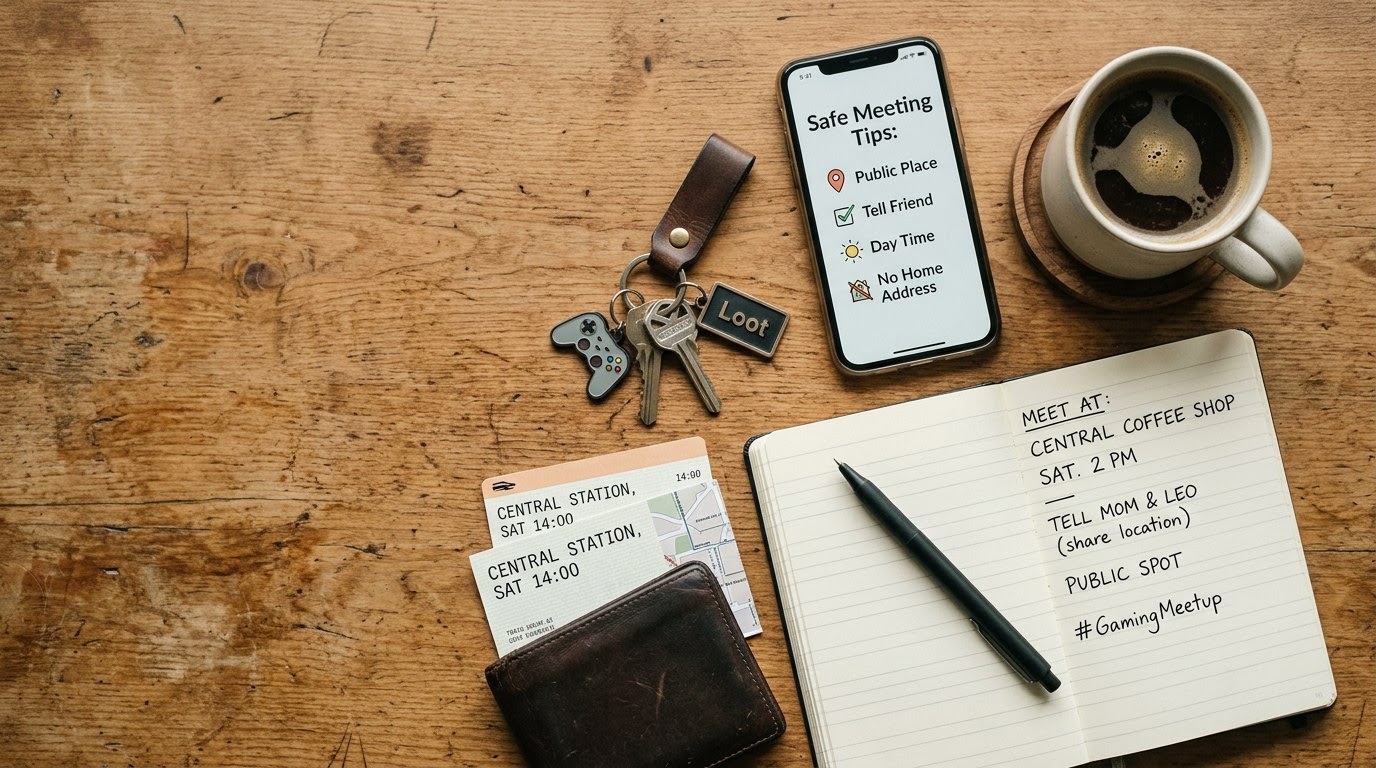
Use this step-by-step guide when transitioning an online gaming buddy, guildmate, or Discord teammate into a real-world meeting. Verifying an avatar behind a gaming handle with TrustMatch safeguards your personal privacy while turning digital teamwork into a safe real-life connection.
1. Run a TrustMatch identity check
Run a TrustMatch identity check to confirm your gaming friend is using a legitimate, verifiable identity before meeting offline. To complete this step, visit TrustMatch and enter your friend's first name along with their mobile phone number or email address. TrustMatch checks those details against identity records and returns a TrustScore and a verdict in under a minute. It tells you whether the name and number belong together — not who your friend really is.
As of August 2026, meeting voice-chat partners and multiplayer teammates in person has become routine, but bridging online play with offline reality requires systematic verification. Online aliases, modified voice channels, and gaming avatars obscure true identities. Asking your gaming buddy to verify their identity before meeting up protects both of you from impersonation, catfishing, and financial scams.
Initiate the request by framing it as a standard personal boundary. Tell your gaming partner directly: "Before we link up offline, I run a quick identity check through TrustMatch on everyone I meet from Discord or gaming groups. What is your full name and phone number?" A genuine friend who respects your safety will provide their details without hesitation.
Once you input their name and contact information into TrustMatch, review the returned TrustScore. The platform flags unverified burner numbers, inconsistent public records, and associated high-risk signals. A high TrustScore gives you green-light confidence to move forward, while a failed check or hidden contact detail tells you to pause or cancel the meetup immediately.
2. Schedule a live video call
Schedule a mandatory live video call over Discord, FaceTime, or Zoom at least forty-eight hours before meeting in person. A brief five-minute video conversation confirms that the person behind the gaming headset matches their photos and voice. Success looks like a clear, uninterrupted stream where your gaming partner willingly turns on their camera, speaks naturally, and confirms the agreed meeting details without offering excuses or technical delays.
Voice chat and pre-recorded video clips are easy to spoof with modern audio software and AI filters. A live, interactive video conversation forces real-time authentication. Ask them to hold up a specific hand gesture or answer an unscripted question about your recent raid or gaming match to ensure you are not viewing a looped video recording.
Pay close attention to lighting and background environments during the call. If your gaming friend claims their camera is broken, their internet is too slow, or their lighting is unworkable, do not accept the excuse. Reschedule the call for a later time, but firmly decline any in-person meeting until visual verification takes place.
Observe their behavior on camera. Ensure their facial features, approximate age, and speaking mannerisms align with what they have told you over months of playing together. If the face on screen looks drastically different from their posted profile pictures, flag the discrepancy immediately and halt plans to meet in person.
3. Audit digital profiles and shared gaming data
Audit your friend's online footprint across gaming networks, social media platforms, and streaming accounts to verify consistency. Search their gaming gamertags on platforms like Steam, Twitch, Xbox Network, or PlayStation Network to check account age and mutual friends. Success means finding an established digital footprint with years of active gameplay history, consistent handles, and organic social interactions rather than a newly created, unlinked account.
Federal Trade Commission statistics from 2024 show that imposter scams and fake online identities accounted for over $10 billion in consumer financial losses. Scammers often set up fresh disposable accounts on Discord or gaming platforms to target players. Checking the age of your friend's gaming accounts helps filter out fake profiles designed for quick financial or physical exploitation.
Look at their achievement logs, trophy lists, and play history across multiple titles. Genuine gamers accumulate years of play time, unlock achievements over extended periods, and maintain friends lists filled with real players. An account created three weeks ago with maximum level achievements or zero friend interactions is a major red flag.
Check their presence on external platforms like Reddit, X (formerly Twitter), YouTube, or Twitch. Cross-reference handles across different services to ensure their stories match up. If their Discord profile lists a handle that does not exist on major networks, or if their social media profiles contain zero tagged photos or personal updates, exercise extreme caution.
4. Select a high-foot-traffic public venue
Select a public, highly populated venue such as a busy local coffee shop, arcade bar, or gaming lounge for your initial meeting. Never agree to meet at a private residence, isolated park, or hotel room on your first encounter. Success looks like choosing a familiar, brightly lit location during daylight hours where staff and other patrons are present, allowing you to easily exit if you feel uncomfortable.
Choosing the right venue establishes a safe physical perimeter for your initial interaction. Pick a public location located in an active commercial district with visible security cameras, clear exits, and reliable cellular service. Avoid places with poor cell reception, dead zones, or private backrooms.
Propose the specific venue yourself or agree mutually on a popular location equidistant from both of your travel starting points. If your gaming partner insists on meeting at their apartment, a remote parking lot, or an isolated gaming cabin, refuse the request. Insist on a open public environment for the duration of your first meetup.
Schedule the meetup during peak business hours in daylight. Daytime meetings reduce risk and make public transit or rideshares readily available. Confirm the exact address with your friend on the morning of the event, and explicitly state that the meeting will take place entirely inside the selected establishment.
5. Secure your digital location and private data
Secure your privacy by disabling real-time location sharing on gaming apps and keeping sensitive personal details private prior to the meetup. Turn off precise GPS tracking on apps like Discord, Snapchat, or Steam, and remove home addresses, workplaces, or daily routes from your conversations. Success means your gaming friend knows the venue location and time, but has zero visibility into your residence, daily routines, or sensitive financial information.
Modern gaming apps frequently default to active location sharing. Before leaving your house, open your phone's privacy settings and disable location permissions for all social and gaming applications. Set Snapchat to Ghost Mode and turn off Discord proximity features so your real-time coordinates remain private.
Sanitize the media you send before and during the meetup. Mobile phone photos contain EXIF metadata embedded in the file, which reveals exact GPS coordinates of where the picture was taken. Use messaging apps that strip metadata or scrub photo properties manually before sending images of your transit or preparation.
Keep personal logistics private. Avoid mentioning where you parked your vehicle, which specific train route you take home, or where your workplace is located. Protecting your spatial privacy ensures that if the meetup turns out poorly, your gaming acquaintance cannot track you back to your physical living space.
6. Establish an off-site safety contact protocol
Establish a detailed safety protocol with a trusted real-life friend or family member before leaving your house. Share the full name of your gaming friend, their verified contact details, the exact address of the venue, and scheduled check-in times. Success looks like setting up active location sharing on your phone with your safety contact and agreeing on a specific code word to signal an emergency.
According to a 2025 Federal Bureau of Investigation cybercrime report, victims lost more than $1.3 billion to online relationship and social engineering fraud. Establishing an external safety lifeline creates accountability and ensures immediate help if an offline meeting deviates from the plan.
Enable live phone location sharing (such as Apple Find My or Google Maps location sharing) with your designated safety contact before heading to the venue. Set explicit check-in intervals—such as texting your contact every thirty minutes while at the venue. Confirm that your contact will call you if a check-in is missed by ten minutes.
Establish a discrete emergency code phrase with your contact, such as "Can you send me that updated deck build?" If you text or speak this phrase, your contact knows to immediately call you with a fake emergency that requires you to leave, or contact local authorities if you fail to answer follow-up calls.
7. Control your own transportation and arrival
Control your transportation by arranging your own ride to and from the venue rather than accepting a lift from your gaming friend. Drive your own vehicle, use public transit, or book an independent rideshare service. Success means arriving ten minutes early to scout the environment, maintaining full control over your mobility, and retaining an immediate escape route at any point during the meetup.
Never accept an offer from an online gaming partner to pick you up at your home or drive you back after the meetup. Getting into a stranger's vehicle forfeits your independence and isolates you from assistance. Controlling your own wheels ensures you can leave the venue instantly whenever you decide to end the interaction.
Arrive ten to fifteen minutes before the designated meeting time. Early arrival allows you to park in a well-lit area near an exit, observe the surrounding environment, notify venue staff if needed, and secure a visible table near the front entrance of the establishment.
Keep your keys, phone, wallet, and transit passes directly on your person in a secure pocket or crossbody bag rather than leaving them sitting loose on a table. If a situation becomes uncomfortable, you can stand up, pay for your tab, and exit without delay.
8. Maintain strict financial and physical boundaries
Maintain firm boundaries regarding personal spending, physical proximity, and shared items throughout the encounter. Pay for your own food, drinks, or gaming tokens, and refuse requests to transfer money, lend gaming hardware, or leave the public area. Success looks like keeping the interaction strictly within the agreed venue while asserting your comfort level without feeling pressured or obligated to compromise your personal safety.
Keep financial transactions entirely separate. Ask the server for individual checks as soon as you order food or beverages. Refuse any request to loan money, cover expensive bar tabs, trade gaming equipment, or hand over personal electronic devices during the meeting.
Protect your physical safety inside the venue. Watch your food and beverages while they are served and consumed; never leave a drink unattended if you step away to use the restroom. If you leave the table, order a fresh beverage upon your return rather than consuming a drink left unsupervised.
Set clear personal space boundaries. If your gaming partner pressures you to move to a private secondary location—such as their car, an uncrowded back alley, or their hotel room—decline firmly. Keep the entire meeting confined to the public space you selected, and end the meetup gracefully if they persist in pushing past your stated boundaries.
Verification matrix for gaming meetups
Use this reference table to evaluate each verification step before leaving your house. Comparing what to check against specific red flags helps you spot deceptive behavior instantly and make safe, informed decisions when organizing a real-world meeting.
| Step | What to verify | Red flag if missing |
|---|---|---|
| 1. Identity Check | Legal name, mobile number, and clean TrustScore via TrustMatch | Refusal to share real name/phone; failed or flagged TrustScore |
| 2. Video Call | Live 2-way video confirming identity, voice, and appearance | Claims camera is broken; uses pre-recorded video loops or static photos |
| 3. Profile Audit | Multi-year gaming history on Steam/Console networks with active friends | Brand new account; zero achievements; unlinked or blank profiles |
| 4. Venue Selection | Crowded, well-lit public space with active staff and security cameras | Insistence on private homes, secluded parks, or last-minute location changes |
| 5. Data Privacy | GPS tracking disabled; EXIF metadata removed from shared photos | Demands for home address, exact transit routes, or work locations |
| 6. Safety Protocol | Live phone location shared with contact; scheduled check-in times set | Failure to notify safety contact or lack of reliable phone signal at venue |
| 7. Transportation | Independent arrival and departure via personal vehicle or rideshare | Pressuring you to accept a ride or getting into their private vehicle |
Red flags during this process
Recognizing warning signs mid-routine allows you to abort a dangerous meetup before physical harm or privacy compromise occurs. If your gaming contact exhibits suspicious behaviors at any point during planning or execution, pause immediately and re-evaluate the interaction.
Watch for sudden last-minute changes to the meeting plan. A common tactic used by bad actors is agreeing to a public coffee shop initial venue, but texting you fifteen minutes before arrival to change the location to an isolated park or private apartment. Never accept last-minute location changes. If your contact changes the location, cancel the meetup immediately and return home.
Be alert to pressure tactics surrounding personal details. If your online gaming friend demands your home address under the guise of "sending you a gaming gift" or insists on picking you up, enforce your boundary firmly. Refusal to respect simple privacy boundaries online guarantees disrespect for your physical boundaries in person.
Pay attention to unannounced guests. If your gaming buddy shows up with several extra individuals whom you have never spoken with or verified, do not stay. Group dynamics can quickly shift control away from you. Excuse yourself politely, leave the public venue immediately, and contact your designated safety buddy.
Notice emotional manipulation or guilt trips. If your gaming contact becomes aggressive, defensive, or guilt-trips you when you request a TrustMatch identity check or a video call, cut off contact. Legitimate gamers who value your friendship will welcome safety steps that make both parties feel secure.
Quick checklist for meeting your gaming friend
Follow this numbered checklist step-by-step during the days leading up to your scheduled real-world meetup. Executing these points in sequence maintains your personal security while ensuring a seamless, fun connection with your online gaming friend.
- Run a TrustMatch identity check using your friend's name and phone number to verify their background and generate a TrustScore verdict.
- Complete a live five-minute video call on Discord or FaceTime to confirm their face and voice match their profile.
- Audit their online gaming profiles on Steam, Xbox, or PlayStation to verify account longevity and activity.
- Select a crowded, brightly lit public venue with visible security cameras and multiple clear exits.
- Disable location permissions and EXIF metadata sharing across all social and gaming applications on your mobile device.
- Share your live location, venue details, and meeting timetable with a trusted off-site safety contact.
- Arrange your own independent transportation to and from the venue, arriving ten minutes early to scout the area.
- Maintain clear financial independence by requesting separate bills and keeping your drinks and belongings in sight.
Calibrating safety and mutual respect
Implementing a structured safety protocol when meeting an online gamer is not an act of hostility; it is a vital layer of modern personal security. Real gaming friends will enthusiastically support clear boundaries, identity verification via TrustMatch, and public meetups because safety protects everyone involved. These protective steps safeguard your physical safety and location privacy while showing mutual respect for a genuine online friend, ensuring your first real-world gaming meetup builds trust rather than risk.
Frequently asked
What should I do if my gaming friend refuses to do a video call before meeting?
Treat any refusal to perform a live video call as a critical warning sign and cancel the in-person meeting immediately. Legitimate gaming partners who genuinely want to meet offline will understand safety concerns and gladly spend five minutes on camera. If they cite broken webcams or social anxiety, offer to reschedule, but never meet until visual confirmation takes place.
Is it safe to invite an online gaming friend directly to my house?
Never invite an online gaming friend to your home or visit their private residence during an initial meeting. Always hold your first encounter in a public venue with plenty of bystanders, working security cameras, and clear exits. Meeting in public ensures you retain full control over your personal privacy and allows you to leave immediately if the encounter feels unsafe.
How do I ask an online gamer for an identity check without offending them?
Frame the request as a standard safety protocol that you enforce for all real-world meetups. Explain that verifying real identity protects both parties from online impersonation and keeps everyone safe. Frame it directly by saying you run a fast TrustMatch check on anyone you meet from Discord, which takes less than a minute and confirms mutual trust before gathering offline.
What details should I share with my off-site safety contact?
Provide your safety contact with your gaming friend's full legal name, verified phone number, photo, and social media handles. Give them the exact name and street address of your meeting location, along with your planned arrival and departure times. Establish mandatory check-in intervals every thirty minutes and agree on a specific emergency phrase that signals immediate distress.
What should I do if my gaming friend wants to change the venue at the last minute?
Decline the last-minute location change and stick strictly to the original public venue you agreed upon earlier. Scammers often attempt to move targets from safe public areas to isolated places or private locations. If your gaming friend refuses to meet at the designated public venue, end the meetup immediately and return home using your own transportation.