How to Safely Use PayPal Goods and Services for Private Purchases
· 8 min read
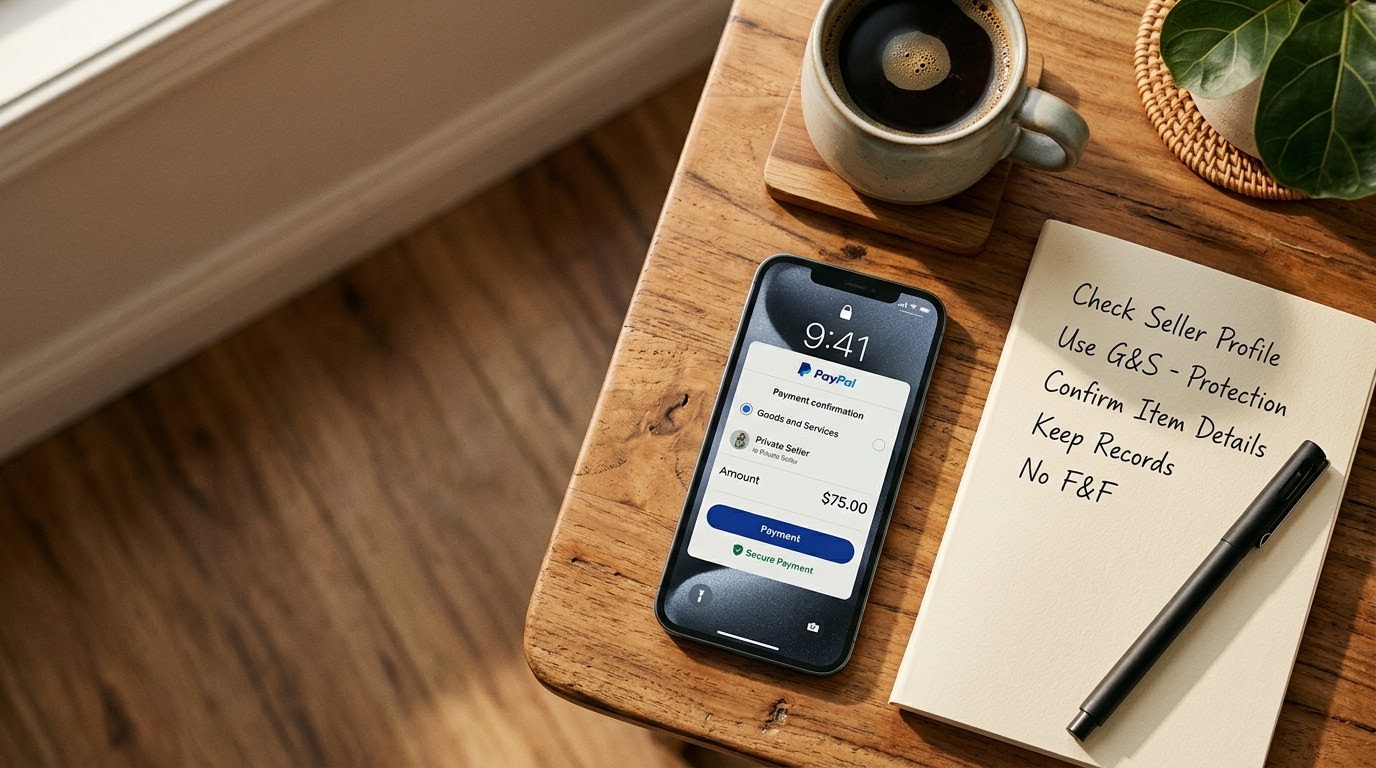
1. Run a TrustCheck on the Seller
Run a TrustCheck before transferring funds or sharing sensitive contact details with an unknown private seller. Simply enter the seller's first name and their mobile phone number or email address into TrustMatch to generate a comprehensive TrustScore and risk verdict in under a minute. This instant identity check confirms whether the seller's contact details correlate with a legitimate person, protecting you from anonymous throwaway accounts created to orchestrate payment scams.
As of August 2026, peer-to-peer transactions across social marketplaces require proactive personal safety measures. Before discussing payment arrangements, request the seller's primary phone number and full name. Enter these details directly into the search tool. The system evaluates linked data points to verify identity patterns and surface associated fraud risks.
Success means receiving a high TrustScore and clear risk verdict confirming the seller is a verified individual with a consistent digital footprint. According to a 2024 Better Business Bureau study, over 45% of peer-to-peer transaction fraud cases involved sellers who insisted on using anonymous profiles or non-refundable payment channels. Pausing to verify identity eliminates the primary vector used by fraudulent accounts.
If the seller refuses to provide a basic phone number or if their details yield an alarming risk flag, stop the deal immediately. Legitimate sellers operating in good faith will gladly share standard contact details to facilitate a safe exchange.
2. Demand a Native PayPal Goods and Services Invoice
Demand that the seller sends an itemized invoice generated directly through PayPal Goods and Services rather than accepting a raw payment link or peer transfer. A native invoice automatically classifies the transaction under PayPal Buyer Protection rules, establishing enforceable terms for item condition, delivery timeline, and refund eligibility. Never allow a seller to persuade you to send funds via the Friends and Family feature, as doing so waives all buyer protection rights and legal recourse.
Instruct the seller to log into their account, select the option to create an invoice, and send it directly to your registered email address. Federal Trade Commission data from 2024 revealed that online shopping fraud and peer-to-peer payment scams caused over $1.1 billion in reported consumer losses, largely driven by buyers opting out of formal payment protections.
Sellers often claim that using Goods and Services incurs unnecessary processing fees. Offer to cover the small percentage fee by adding it directly to the agreed sale price. If the seller still refuses to accept a Goods and Services payment after you offer to pay the transaction fee, cancel the purchase. There is no valid operational reason for a legitimate seller to reject protected payments when the buyer covers the fee.
Success looks like receiving an official notification inside your authentic PayPal account dashboard containing a formal line-item request labeled explicitly as a purchase of goods or services.
3. Verify the Item Description and Terms in the Invoice
Verify every line item in the PayPal invoice before clicking the final payment authorization button. The invoice description must state the exact item brand, model, serial number, physical condition, included accessories, and agreed shipping carrier with tracking inclusion. Vague descriptions like "used item" give fraudulent sellers loophole defenses during dispute claims. Ensure the stated total price breaks down item cost, agreed shipping fees, and explicit coverage under Goods and Services.
Open the invoice draft and read the line items carefully. Check that the seller has explicitly detailed any cosmetic flaws, functional defects, or missing original packaging that was discussed during price negotiation. If you are buying high-value items like electronics, camera gear, or designer goods, demand that the seller include the unique serial number directly in the invoice memo field.
Verify that the shipping address listed on the invoice matches your verified delivery destination. PayPal Buyer Protection rules mandate that items must be shipped to the address attached to the transaction details. If a seller offers to ship to an alternate unverified address, demand that they update the invoice address parameters first.
Success means holding a contractually detailed invoice that leaves zero ambiguity about what you paid for, what condition was promised, and where the package is being delivered.
4. Inspect Payment Links for Phishing and Spoofed Emails
Inspect every payment notification email and website address to confirm you are interacting with authentic PayPal servers. Scammers frequently dispatch fake invoice notification emails that link to clone websites designed to capture your login credentials or process direct wire transfers. Always open your browser independently, log directly into your official PayPal account dashboard, and locate the pending request in your activity feed rather than clicking links embedded within email messages.
Examine sender email headers if you receive a notification message. Legitimate invoice notices come directly from official service domains. However, domain headers can occasionally be spoofed. The safest procedure is to ignore embedded buttons entirely. Open a fresh browser window or use the official mobile app to review pending invoices.
A 2025 Bureau of Justice Statistics report showed that 30% of victimized online buyers were targeted through fake invoices and payment link spoofing. Protect your account credentials by enforcing a strict habit of navigating to financial portals independently.
Success is confirming that the invoice appearing on your independent mobile application screen exactly matches the request amount, seller name, and description seen in your communications.
5. Document the Package Unboxing and Serial Numbers
Record an uninterrupted video during the delivery inspection and physical package unboxing process once your item arrives. Start the recording by focusing clearly on the carrier shipping label, showing the tracking number, return address, and intact box seals before opening the parcel. Film the physical extraction of the item, zoom in on unique serial numbers, and test basic power or hardware functions on camera to provide undeniable visual proof if a dispute becomes necessary.
Set your smartphone on a stand or ask a friend to hold the camera while you open the delivered package. Ensure the lighting is bright and clear. Show all sides of the shipping box on camera to prove that original carrier tape was un broken prior to opening.
If the box contains sand, paper weights, or a damaged item instead of your purchased goods, this unbroken video serves as concrete evidence during a PayPal Buyer Protection dispute. Keep the video stored securely on your device until you have fully inspected and tested the item over several days.
Success means possessing a continuous, high-definition video recording that bridges the gap between carrier delivery confirmation and physical verification of the item's condition.
6. Review the Verification Protocol Summary
Reviewing the key parameters of seller verification ensures you execute a consistent safeguard procedure across every private online purchase. This breakdown highlights the specific verification tasks required at each stage of the transaction and flags the precise missing details that indicate potential scam activity. Use this summary reference to audit your seller's responsiveness and transparency before authorizing any transfer of funds through PayPal Goods and Services.
| Step | What to verify | Red flag if missing |
|---|---|---|
| Identity check | Seller phone number, full name, and TrustScore verdict | Refusal to share contact info or low TrustScore rating |
| Payment category | Formal Goods and Services invoice billing tag | Insistence on Friends and Family, Zelle, or gift cards |
| Invoice detail | Item serial number, complete condition notes, and carrier terms | Generic labels such as "merchandise" or blank memos |
| Link authenticity | Invoice presence inside official app dashboard | Payment links directing to external non-official URLs |
| Delivery evidence | Continuous unboxing video with clear shipping label details | Damaged seals without video documentation of arrival state |
7. Follow the Quick Checklist Before Hitting Send
Executing this standardized pre-payment checklist guarantees that no critical protection steps are bypassed under high-pressure sales tactics. Work through each item systematically right before authorizing your PayPal transaction to confirm seller identity, contract validity, and policy coverage. Completing these sequential actions provides complete peace of mind and preserves your right to full reimbursement should the transaction require formal dispute resolution.
- Verify the seller's mobile number and name using TrustMatch to establish identity authenticity.
- Confirm the payment request is classified explicitly under PayPal Goods and Services.
- Audit the invoice description to verify serial numbers, specifications, and physical condition details are included.
- Log into your account independently via the official app or website domain to process payment.
- Confirm your shipping address on file matches the exact delivery location specified on the payment receipt.
- Prepare your recording device to capture a continuous unboxing video immediately upon package arrival.
8. Spot Red Flags During the Transaction Process
Spotting unexpected changes in seller behavior or payment requests mid-transaction allows you to halt the deal before suffering a financial loss. If a seller alters agreed payment methods, pressures you for rapid payment, or demands extra fees after invoice creation, terminate communication immediately. Trusting your instincts when protocol breaks down prevents sophisticated fraud schemes that exploit buyers who overlook subtle warning signs under the stress of completing a purchase.
Watch for classic deceptive tactics. Fraudulent sellers often accept an initial agreement for Goods and Services, only to claim later that their PayPal account is experiencing technical issues with commercial payments. They will ask you to switch to non-protected payment channels like Friends and Family, cryptocurrency, or peer-to-peer cash apps. Never accommodate this request.
Another prevalent tactic involves overpayment claims or sudden shipping surcharge demands. If a seller claims they accidentally undercharged you or demands additional money outside the official invoice, cancel the purchase. Similarly, be alert if a seller pushes for immediate payment by claiming other buyers are waiting, attempting to rush you past your verification steps.
When something feels off, disengage completely. Report suspicious profiles to the hosting platform and retain copies of all text communications. No identity check can guarantee a safe transaction. A TrustCheck tells you whether the details someone gave you are consistent with one real identity — the judgement, and the risk, stay with you.
These verification steps protect your financial security while showing genuine respect for honest sellers, ensuring safety without crossing into intrusive surveillance.
Frequently asked
Why should I avoid using PayPal Friends and Family for private purchases?
PayPal Friends and Family is intended strictly for personal transfers between trusted acquaintances. It excludes Buyer Protection, meaning PayPal will not issue refunds if the seller fails to ship the item, sends a broken product, or commits outright fraud.
What should I do if a seller demands I pay the Goods and Services fee?
It is standard practice in private peer-to-peer sales for buyers to cover the nominal processing fee if requested. Calculate the additional fee amount and ask the seller to include it transparently in the overall Goods and Services invoice total.
How does identity verification protect me before making a purchase?
Checking seller contact details using TrustMatch confirms that the person's name and phone number match legitimate identity records. Fraudulent sellers rely heavily on anonymous, temporary contact details to execute payment scams without accountability.
Can a seller fake a PayPal Goods and Services invoice email?
Yes, scammers routinely send fake notification emails that mimic official branding. These fraudulent emails often claim payment has been received or request immediate action. Always log into your official account application directly to confirm real invoice requests.
What visual proof is required if an item arrives damaged or incomplete?
PayPal requires clear evidence during disputes. An uninterrupted unboxing video showing the sealed package label, the physical opening process, item serial numbers, and observed defects serves as definitive proof that damage occurred prior to receipt.