How to Safely Use Zelle for Transactions With Private Sellers
· 9 min read
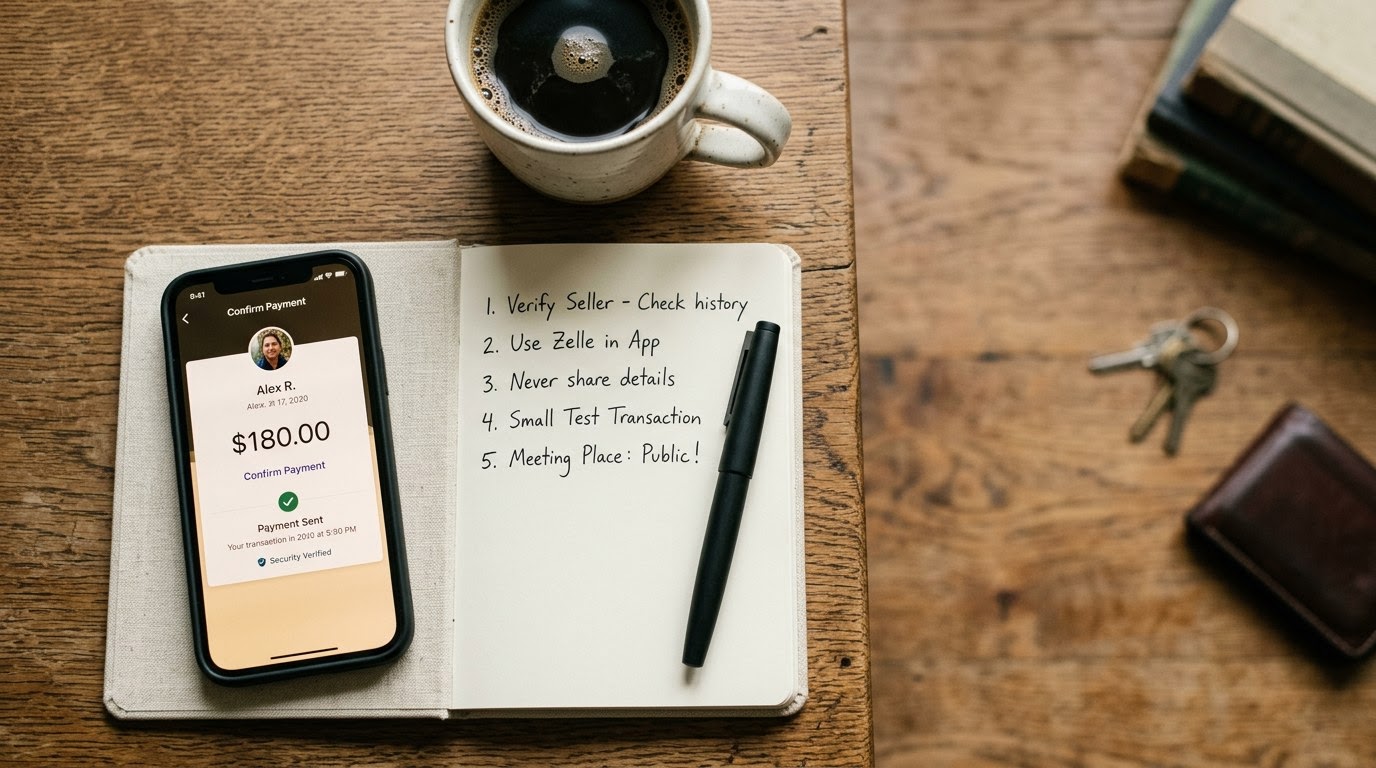
Use this guide whenever you plan to buy items from a private seller on local marketplaces or classified boards using instant payment transfers. Running a quick identity verification check through TrustMatch before sending money protects your bank balance while confirming you deal with a real individual.
1. Run a TrustCheck on the seller
To run a TrustCheck on a private seller, enter their first name and phone number or email into TrustMatch before agreeing to any transaction terms. TrustMatch cross-references public signals and identity attributes to deliver a TrustScore and risk verdict in under sixty seconds. A high score confirms you are interacting with a real individual with an established identity, while a low score alerts you to potential impersonation or fraudulent behavior before you send non-refundable funds.
Start every prospective transaction with identity confirmation. Peer-to-peer payment platforms like Zelle treat transferred funds like physical cash; once you authorize a transaction, your bank cannot reverse the transfer or recover funds if the seller disappears. According to 2024 FTC data, bank transfer and payment app fraud resulted in over $210 million in reported consumer losses.
When you request a seller's full contact details to perform a check, evaluate their reaction immediately. Honest private sellers who regularly trade online understand safety precautions and cooperate without hesitation. Fraudulent actors operating burner accounts or stolen profiles will panic, make excuses, or attempt to shift the conversation to an unmonitored messaging service. Enter the provided phone number or email address into the verification portal. Check that the registered details match the name on their marketplace profile. If the score returns severe flags or mismatched personal information, stop the transaction instantly and walk away.
2. Request live proof of ownership with a custom timestamp
Request live proof of ownership by asking the seller to provide a short video or photo of the item next to a handwritten note showing today's date, current time, and a specific phrase you choose. Do not accept digital overlays, cropped images, or pre-recorded videos. This step confirms the seller physically possesses the exact item listed and prevents scammers from using stolen photos harvested from legitimate online listings or social media feeds.
Scammers frequently build convincing product listings by scraping photos from old online auctions, retailer sites, or social media pages. Requiring dynamic physical proof eliminates stolen media scams instantly. A 2025 BBB report revealed that 42% of online purchase scams involved fake listings using stolen product photos.
To execute this step effectively, specify a unique, random handwritten phrase that cannot be faked with quick image editing. Ask the seller to write the phrase, along with the exact date and hour, on a physical sheet of paper placed directly on the item. For electronics, demand a photo showing the device powered on with the system settings screen visible. For vehicles or high-value machinery, request a photo showing the handwritten note next to the vehicle identification number plate. Examine the photo closely for signs of manipulation, such as inconsistent lighting, blurry edges around the text, or mismatched background environments compared to previous photos. If the seller claims they are currently away from the item or cannot take a fresh photo, refuse to hold the item with a deposit.
3. Demand a live two-minute video call
Demand a live two-minute video call through FaceTime, WhatsApp, or Zoom to inspect the item and match the seller's face to their provided profile details. Ask the seller to operate the item or show specific angles during the call. Scammers operating remote fraud rings or using stolen identity credentials will consistently refuse video calls, making this single action one of the most effective ways to eliminate fraudulent offers immediately.
Video calls force a scammer out of anonymity and instantly break sophisticated remote fraud operations. Legitimate sellers who are serious about closing a transaction will gladly spare two minutes to reassure a cash-paying buyer. During the call, evaluate three critical factors: face match, item functionality, and environment.
First, confirm that the person holding the phone matches the photos on their marketplace profile and the name verified during your identity check. Second, ask the seller to perform a specific action live on camera, such as plugging in an electronic device, opening drawers on furniture, or demonstrating a mechanical part. Third, observe the background setting to ensure it aligns with the local area where the sale is supposed to take place. If the seller offers excuses—such as a broken camera, low battery, social anxiety, or severe time constraints—treat it as a major security threat. Never send payment to anyone who refuses a live visual interaction.
4. Confirm recipient bank details inside your banking app
Confirm recipient bank details by typing the seller's registered phone number or email directly into your banking app's Zelle prompt before approving any payment. Check that the displayed name matches the seller's verified identity exactly. If the name belongs to a third party or a business account you do not recognize, pause the transaction immediately, as scammers frequently route payments through compromised or mule accounts.
When you initiate a transfer, Zelle interfaces directly with banking networks to pull the registered account holder's name associated with that specific email or phone number. In 2024, CFPB data indicated that unauthorized transfer complaints increased by 19% across peer-to-peer payment systems.
Pay close attention to the verification pop-up inside your banking app before entering your security passcode. The name displayed by Zelle must match the individual you verified in Step 1. Scammers frequently operate by directing buyers to send money to a friend, spouse, or business account manager. This tactic allows fraudsters to utilize stolen bank accounts or paid money mules to launder illicit funds. If the account holder name on the Zelle confirmation screen differs from the person you are communicating with, decline the transaction. Do not accept claims that the seller is using a relative's account or that their primary account is temporarily frozen.
5. Send a one-dollar test payment
Send a one-dollar test payment to the recipient's verified Zelle handle before transferring the full purchase amount. Ask the seller to confirm receipt of the exact test amount while you are still communicating. This step verifies that the contact details connect to an active, correct account and protects you from costly typographical errors or redirect scams before committing significant capital.
Typographical errors during peer-to-peer transfers account for thousands of dollars in lost funds every year. Because Zelle transfers are immediate and binding, sending funds to a wrong phone number or misspelled email address means those funds are permanently gone. A test transfer completely removes this operational risk.
Open your banking application, select Zelle, and input a transfer amount of exactly $1.00. Add a clear memo line, such as "Test payment." Complete the transaction and wait for the app to show a successful status. Ask the seller to check their bank app immediately and state the exact amount received. Once the seller confirms receiving the single dollar, save that verified contact profile directly into your mobile device's address book or banking recipient list. For the final transfer, select this saved contact rather than re-typing the contact details. This simple safeguard ensures your full payment reaches the intended target without risk of misdirection.
6. Finalize payment strictly during an in-person exchange
Finalize payment strictly during an in-person exchange at a safe public location after thoroughly inspecting the physical item. Hold off on pressing send on your Zelle transfer until you have hands-on possession of the item and verified its condition. Public transaction spots like police station parking lots or well-lit bank lobbies provide safety and robust camera coverage for both parties.
Never send Zelle payments in advance for physical goods that require local pickup or shipping. Zelle is designed specifically for immediate transfers between parties who know or trust each other, lacking built-in buyer protection programs offered by credit card companies or specialized escrow platforms.
Select a designated Safe Exchange Zone, such as a municipal police department parking lot, a busy public library, or a bank lobby. Arrive during daylight hours and bring a friend whenever possible. Meet the seller, examine the item thoroughly, and test every feature to confirm it matches the agreed-upon description. Once you are completely satisfied with the item, keep the physical goods in your possession while opening your banking application. Select the saved recipient contact from your test transfer, enter the remaining balance, and execute the payment while standing next to the seller. Show the seller your payment confirmation screen, wait for their bank to acknowledge receipt, and conclude the transaction.
Zelle transaction safety matrix
Use this reference matrix to evaluate each step of your seller verification routine before releasing funds. Matching observed behaviors against expected safety parameters ensures you detect fraudulent setups early. As of August 2026, structured verification protocols remain the most reliable defense against instant transfer fraud.
| Step | What to verify | Red flag if missing |
|---|---|---|
| Identity Check | Match phone/email to a real individual profile via TrustMatch | Seller provides disposable VoIP number, fake email, or refuses check |
| Ownership Proof | Fresh photo/video with custom handwritten note and timestamp | Seller provides stock photos, cropped images, or claims item is elsewhere |
| Video Inspection | Live face-to-face interaction and working product demonstration | Seller claims broken camera, poor connection, or refuses live call |
| Bank Account Match | Name pulled by Zelle matches verified seller identity exactly | Zelle displays a third-party name, business account, or foreign entity |
| Test Transfer | Seller confirms receiving exact $1.00 test deposit instantly | Seller claims payment is delayed or demands full sum upfront |
| In-Person Exchange | Physical handoff and inspection in a monitored public space | Seller insists on shipping item or demands advance hold deposit |
Red flags during this process
If a seller exhibits suspicious behavior mid-routine, halt the transaction immediately and do not transfer funds. Common red flags include pressure to send deposits, requests to switch to off-platform communications, changing payment handles at the last minute, or claiming you must pay extra to upgrade a Zelle account. Trust your instincts and cancel any deal where the seller resists basic safety steps.
Watch out for artificial urgency. Scammers frequently state that multiple other buyers are waiting with cash to pressure you into skipping identity checks or sending hold money. Real sellers will respect reasonable safety measures to secure a legitimate sale.
Be extremely cautious if the seller claims you need to expand your transfer limit by paying an additional fee, or if you receive an email claiming to be from Zelle stating your account needs a business upgrade. Zelle does not charge buyers upgrade fees to receive or send money. If the seller alters their phone number or email handle right before you send the test payment, stop instantly. This tactic is used to switch from a real profile to a fraudulent account after establishing initial rapport.
Quick checklist for Zelle transactions
Follow this mandatory sequence before sending any funds through Zelle to a private seller. Completing each step sequentially eliminates the primary attack vectors used by online scammers, ensuring your money remains secure throughout the transaction process. Review this checklist every time you deal with an unfamiliar seller on local classified or social platforms.
- Run an identity check using the seller's phone number or email address on TrustMatch.
- Request a live photo or video of the item with a custom handwritten timestamp.
- Conduct a two-minute video call to inspect the item and match the seller's face to their profile.
- Enter the contact details into Zelle and verify that the recipient name matches the checked seller.
- Send a $1.00 test payment and confirm receipt with the seller before sending the full balance.
- Meet in a public Safe Exchange Zone to complete the physical inspection and final payment.
These verification steps protect your hard-earned funds and respect the real person on the other end of the transaction, balancing safety without turning a simple sale into intrusive surveillance using TrustMatch.
Frequently asked
Does Zelle offer buyer protection for private purchases?
No, Zelle does not offer buyer protection programs for purchases from private sellers. Payments made via Zelle are treated like cash transfers between bank accounts. If you purchase an item that is defective, counterfeit, or never delivered, your financial institution will generally not refund the money or assist in reversing the completed transfer.
What should I do if a seller claims my Zelle payment is pending an account upgrade?
Refuse any requests to send additional funds. Zelle does not have business account upgrades or limits that require buyers to send extra money to unlock a pending payment. Any email or message claiming your payment is held until you send more money is a classic advance-fee scam designed to steal your funds.
Why should I run an identity check before using Zelle?
Running an identity check verifies that the person offering the item is using their legitimate personal details rather than a fraudulent or stolen identity. Because Zelle transactions are permanent and non-refundable, confirming the seller's true identity through TrustMatch drastically reduces your risk of falling victim to fake listings and impersonation scams.
Is it safe to pay a private seller with Zelle before meeting in person?
No, you should never send a Zelle payment prior to meeting a private seller in person and holding the item. Pre-payment scams are extremely prevalent on online marketplaces. Always inspect the physical item in a safe, public location before authorizing the final transfer inside your banking application.
How can I prove a seller actually owns the item they are listing?
Demand dynamic, real-time proof of ownership before traveling or sending test payments. Ask the seller to photograph the item next to a handwritten paper note containing today's date, current time, and a unique phrase specified by you. Alternatively, request a live video call to observe the seller operating the item in real time.