How to Safely Buy a Used Drone From a Private Seller Online
· 11 min read
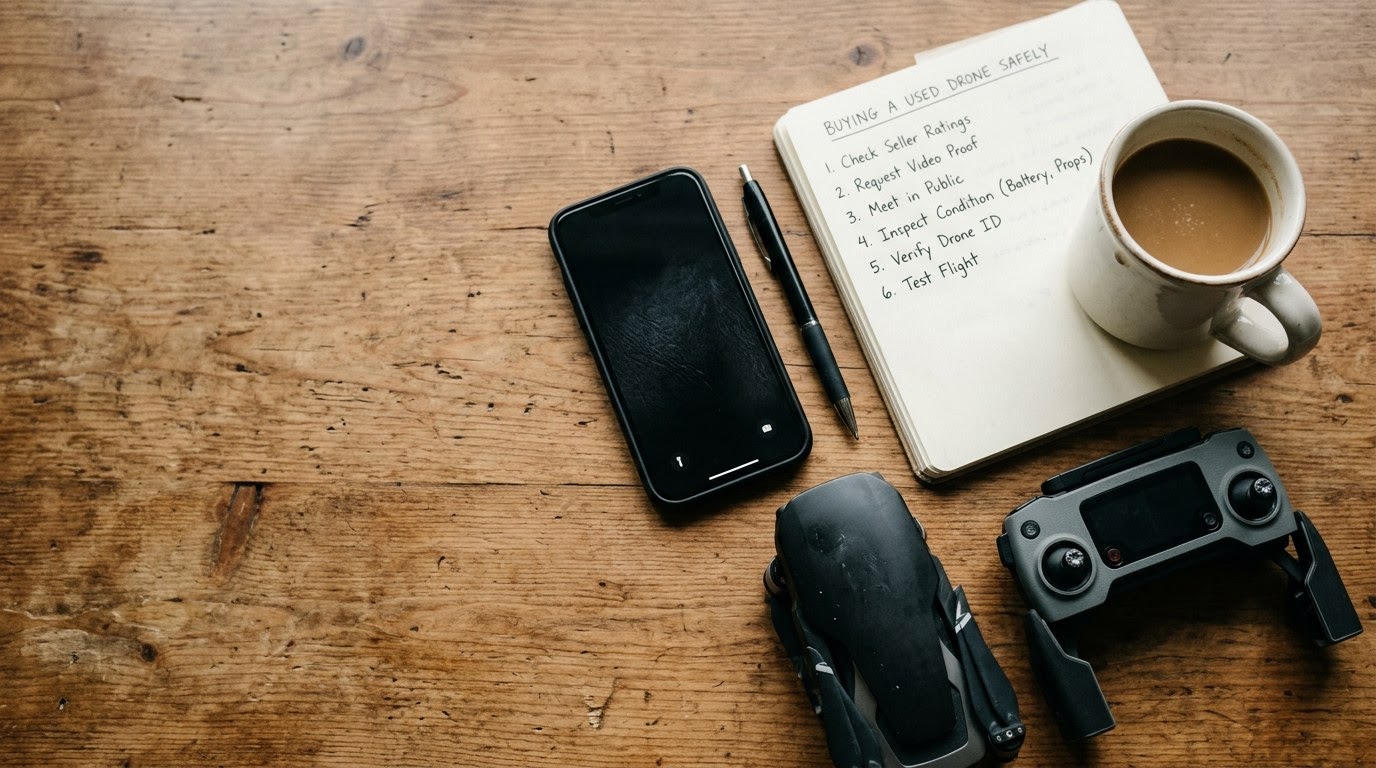
Use this playbook when buying a secondhand drone from private sellers on peer-to-peer marketplaces like Facebook Marketplace, Craigslist, or OfferUp. Running a quick TrustMatch identity check before agreeing to meet or send payment ensures you engage with a legitimate drone owner and keeps your money safe from fraudulent listings.
1. Run a TrustCheck on the Seller
Run a TrustCheck on the seller by requesting their first name and mobile phone number or email address before committing to a deal. Simply enter the seller's first name and phone number (or email address) into TrustMatch to get a TrustScore and verdict in under a minute. This initial step confirms that the individual behind the listing has an established digital footprint and matches the contact information provided, shielding you from fake profiles and rapid-fire marketplace scams.
Peer-to-peer marketplaces present high risks for technical hardware buyers. Fraudulent sellers frequently steal high-quality images from online listings, paste them into local classified ads, and demand advance deposits. According to FTC reports from 2024, online marketplace purchase scams resulted in over $390 million in financial losses. Conducting an identity check before discussing pickup logistics filters out fraudulent accounts instantly.
Ask the seller for their primary mobile phone number and full name early in the conversation. Frame this request as a routine safety standard for high-value electronics. If a seller resists sharing basic contact details or insists on communicating exclusively through burner messaging apps, cancel the transaction immediately.
2. Request a Live Video Flight Demonstration
Request a live video call demonstrating the aircraft taking off, holding a stable hover, testing camera movements, and landing smoothly. Viewing a live demonstration confirms that the seller physically owns the aircraft, that all motors run without abnormal vibration, and that the video transmission feed displays crisp visuals free of sensor defects or gimbal errors. Insist on seeing the flight app interface on the controller screen throughout the video stream.
Schedule a five-minute video call via FaceTime, Zoom, or WhatsApp during daylight hours. Ask the seller to power on the aircraft and position the remote controller camera so you can see both the drone and the controller screen simultaneously. Pay close attention to the telemetry status bar at the top of the controller app. Look for warnings regarding compass calibration errors, sensor faults, or electronic speed controller (ESC) anomalies.
Direct the seller to perform specific camera functions on stream. Have them pitch the camera gimbal 90 degrees downward and roll it side to side to verify smooth motor tracking. Request that they point the camera at a structured target, such as a wall or tree branch, to check for dead pixels, lens fogging, or sensor scratches. Finally, ask the seller to hold up the drone and point the camera at the physical serial number inside the battery bay to ensure it matches the digital serial number displayed in the app settings.
3. Verify Account Unbinding and Remote ID Transfer
Verify that the seller unbinds the drone from their personal manufacturer account and clears any registered Remote ID profiles prior to taking payment. Drones bound to another user's cloud account remain permanently restricted, preventing new owners from flying legally, updating firmware, or receiving service support. Require the seller to display the app's account status screen showing "Not Bound" or "Device Unlinked" before proceeding.
Modern consumer drones, especially models manufactured by DJI, Autel, and Skydio, feature strict anti-theft cloud binding. If a seller sells you a drone that remains bound to their account, you will not be able to bind your own user profile to the flight controller. The aircraft may lock down after a limited number of flights or restrict fly zone unlocking permissions. Require the seller to open the flight app on screen, navigate to the account management menu, and select the unbinding command while you watch.
For DJI products, the seller must open the DJI Fly app, go to Profile, tap Device Management, choose the drone, and tap "Remove Device from Account." Furthermore, ensure the seller deregisters the drone's serial number from their FAA DroneZone account or applicable national aviation authority registry. Acquiring an aircraft that is still legally registered to a third party creates administrative and regulatory conflicts during future compliance checks.
4. Inspect Hardware and Battery Health in Person
Inspect the physical body, motor arms, propeller mounts, optical sensors, and battery physical condition during your daylight meetup. Careful physical inspection isolates micro-cracks from prior crashes, damaged wiring, stripped screw threads, and dangerous battery swelling that shortens flight times or causes mid-air power loss. Check the internal flight battery cycle count inside the controller app menu to measure remaining cell life accurate to the flight.
Meet in a well-lit public space and set the drone on a clean surface. Examine the structural frame, paying close attention to the plastic or carbon fiber seams where the motor arms join the main body. Hairline stress fractures near the arm joints indicate a hard impact crash. Look closely at the motor bells: rotate each motor by hand to feel for resistance, grinding bearings, or bent shaft pins. Check the prop screws and quick-release tabs for stripped heads or cracked plastic.
Inspect every lithium-polymer (LiPo) battery included in the bundle. Never accept a battery that exhibits physical swelling, puffiness, soft spots, or casing separation. Swollen batteries represent severe fire hazards and can disconnect mid-flight due to expanded physical tolerances. Insert each battery into the aircraft, power up the system, and inspect the battery menu within the flight app. Verify three critical metrics: total charge cycle count, battery cell voltage balance, and battery overall health percentage. Individual cell voltages should not deviate by more than 0.05 volts from each other.
5. Perform a Public In-Person Meetup Test
Perform a test flight in an open public area with unrestricted airspace to test real-world flight stability, GPS signal acquisition, and controller link range. Flying the aircraft in person confirms that signal telemetry remains solid, the return-to-home fail-safe triggers accurately, and obstacle avoidance sensors function properly during flight manoeuvres. Pick a secure public venue like a police station exchange zone or an open park permitted for drone flight.
Before leaving for the meeting, check airspace authorization apps like Air Control or B4UFLY to confirm the test site is located in uncontrolled Class G airspace. Avoid meeting near airports, military bases, critical infrastructure, or crowded urban centers where flight restrictions prevent motor startup. Bring your own tablet or smartphone with the official flight application pre-installed so you can test connection stability independent of the seller's hardware.
Follow a structured flight test sequence once on site:
Power on the remote controller first, followed by the drone. Observe how quickly the positioning system locks onto satellite signals; a normal GPS lock requires at least 10 to 12 active satellites before taking off. Launch the aircraft to an altitude of ten feet and hover for two full minutes without touching the control sticks. The drone must maintain a steady position without drifting, bobbing vertically, or spinning.
Execute manual maneuvers: fly forward, backward, left, and right at varying speeds. Test the obstacle avoidance sensors by slowly walking toward the drone while it hovers to verify that the collision warnings trigger on screen and stop movement. Test the automated Return-to-Home (RTH) function by flying the drone fifty feet away, pressing the physical RTH button on the controller, and confirming that the aircraft ascends to its designated safe altitude, flies back, and lands within a few feet of the takeoff point.
6. Send Payment Through Protected Peer-to-Peer Methods
Send payment using protected payment methods or cash in person only after completing physical inspections, flight tests, and account unbinding. Protected transactions guarantee purchase protection if structural defects or cloud account locks were concealed by the seller during initial evaluation. Never use peer-to-peer wire transfers, gift cards, or unprotected friends-and-family payment options when purchasing expensive pre-owned flight electronics.
Once the physical inspection and test flight are complete, execute the financial transaction securely. If paying with cash, count out the agreed amount directly in front of the seller only after all components, extra batteries, memory cards, and original packaging are gathered into your hands. If using digital payment apps, use platforms that offer buyer coverage for goods, such as PayPal Goods and Services.
Avoid payment requests involving Zelle, Venmo personal transfers, Cash App personal transfers, wire transfers, or gift cards. Scammers favor these non-refundable payment options because funds transfer instantly without dispute options. If a seller insists on receiving funds via an unprotected method right before handing over the drone, pause the transaction and decline to send money.
Used Drone Inspection and Verification Breakdown
Review this comprehensive breakdown table to systematically cross-reference every hardware component, software setting, and verification step during your used drone transaction. Following a standardized verification matrix ensures you do not overlook critical safety checks or fall victim to seller deception during live testing.
| Step | What to Verify | Red Flag If Missing |
|---|---|---|
| Identity Check | Seller's real name, phone number, and digital footprint history via TrustMatch. | Seller refuses verification, provides disconnected numbers, or profile name mismatches. |
| Cloud Account Status | "Device Unlinked" status in flight app device management menu. | App displays "Device Bound to Another Account" or seller refuses to log out. |
| Frame & Arm Joints | Structural integrity of arm hinges, motor mounts, frame screws, and shell seams. | Hairline cracks near stress points, missing screws, or mismatched body shell panels. |
| Motor Mechanics | Smooth, quiet motor spin by hand; zero shaft play or grinding noise during spin up. | Grinding motor bearings, stiff rotation, bent shaft pins, or excessive operational heat. |
| Battery Health | Cycle count below 150, flat casing, cell voltage balance within 0.05V variance. | Swollen casing, cell variance above 0.05V, or high cycle count (>150 cycles). |
| Camera & Gimbal | Clean glass lens, smooth gimbal calibration, error-free live video transmission feed. | Lens scratches, gimbal overload warnings, horizon tilt, or flickering video feed. |
| Flight Performance | Fast GPS lock (10+ satellites), steady 2-minute hover, successful RTH execution. | Inability to lock GPS, severe hover drift, erratic control response, or RTH failure. |
| Payment Handling | In-person cash handover or protected commercial peer-to-peer transfer. | Demands for advance deposits, wire transfers, gift cards, or unprotected payment links. |
Red Flags During This Process
Watch for immediate red flags during your interaction with a private seller that signal potential fraud, stolen hardware, or hidden mechanical damage. Recognizing these suspicious behaviors early empowers you to halt negotiations, protect your funds, and report fraudulent accounts before incurring financial losses.
Identify suspicious seller behaviors immediately:
Pay attention to communications during negotiation. If a seller pressures you to make a quick purchase, claims multiple buyers are waiting with cash, or refuses to provide identity details for a TrustCheck, break off contact. Mismatches between the seller's marketplace profile name and the name associated with their verified phone number indicate potential account hijacking or proxy selling scams.
Be wary of unrealistically low pricing. If a seller lists a current-generation flagship drone package—such as a complete Fly More Combo with smart controllers—at 60% or 70% below current average market values, assume the listing is fraudulent. Scammers rely on absurdly low prices to create artificial urgency and trick buyers into ignoring verification procedures.
Watch for software excuses during pickup. A common scam tactic involves the seller claiming they "forgot their cloud account password" or "don't have cell service to log out right now." They may promise to unbind the drone from home after you pay. Never complete a sale under these terms. Once you pay for a bound drone, you lose all leverage, leaving you with an expensive, non-functional paperweight.
Examine physical signs of stolen property or major crash cover-ups. Missing serial number stickers, scratched-off regulatory IDs, or freshly painted body shells suggest stolen hardware. Similarly, missing camera glass, mismatched replacement screws, or third-party glue along arm joints point to un-certified home repairs following catastrophic flight failures.
Quick Checklist for Buying Used Drones
Follow this sequential quick checklist when evaluating, testing, and finalizing your purchase of a pre-owned drone from a private online seller. Executing these steps in exact order guarantees that identity safety, hardware testing, software clearing, and secure payment handling are satisfied before closing the deal.
- Request the seller's full name and mobile phone number, then run a TrustCheck to verify their identity score before scheduling a meetup.
- Conduct a live video call to observe camera movement, live app telemetry, video feed clarity, and physical serial numbers.
- Confirm the meeting location is in legal, uncontrolled airspace away from restricted zones, during daylight hours.
- Examine the structural frame, motor arm joints, propeller locks, camera lens glass, and battery casings for physical defects.
- Power up the drone and check battery health metrics, verifying charge cycle counts are under 150 and cell voltage variance is under 0.05V.
- Verify that the seller unbinds the aircraft from their cloud manufacturer account and deregisters the device on the FAA DroneZone.
- Perform an operational flight test: confirm a 10+ satellite GPS lock, execute a 2-minute stationary hover, test pitch/roll responsiveness, and verify Return-to-Home execution.
- Hand over cash or transfer funds via protected peer-to-peer methods only after all physical components are in hand and unbinding is complete.
Final Calibration and Safety Mindset
Maintaining a disciplined approach during peer-to-peer transactions keeps your financial investments secure while maintaining respectful communication with legitimate sellers. Utilizing verification steps protects your hard-earned funds and ensures physical safety without treating legitimate sellers with undue suspicion.
Using verification tools like TrustMatch provides the practical protection you need to buy secondhand gear with confidence, protecting your money while maintaining a respectful, transparent interaction with real sellers.
Frequently asked
Can I register a used drone if the previous owner did not unbind their account?
No, you cannot fully register or operate a used drone if the original owner has not unbound it from their manufacturer cloud account. Bound drones restrict firmware updates, flying permissions, and warranty claims. Always insist that the seller removes the device from their account in your presence or via live video before exchanging money.
How many battery cycles are too many when buying a used drone?
Most standard drone lithium-polymer batteries begin degrading after 150 to 200 charge cycles. If a used battery shows more than 150 cycles, budget for replacement battery costs when negotiating price. Always check battery health in the controller app settings and reject any battery displaying physical swelling or imbalanced cell voltages.
Why is it necessary to run a TrustCheck before meeting a private drone seller?
Running a TrustCheck verifies that the private seller has a legitimate digital footprint matching the name and phone number provided. Drone listings are frequent targets for scam accounts using stolen photos. Verifying seller identity beforehand reduces the risk of physical ambush scams, fake wire transfer demands, and fraudulent sales of stolen equipment.
What should I do if a seller refuses to do a test flight before purchase?
Walk away from the deal immediately if a seller refuses a live test flight or video demonstration. Untested drones may harbor hidden internal motherboard damage, broken water sensors, failing ESC units, or defective gimbals. Legitimate sellers who operate working aircraft will willingly demonstrate flight functionality in a safe, open space.
How do I legally transfer FAA drone registration when buying secondhand?
The seller must log into their FAA DroneZone account and delete the specific aircraft serial number from their registered inventory. Once cleared, log into your own FAA DroneZone account, register the drone under your profile, pay the registration fee, and attach your new FAA registration number to the drone frame.
More in Guide
- How to Safely Buy a Used Jet Ski From a Private Seller
September 18, 2026
- How to Safely Verify a Cashier's Check Before a Private Sale
September 13, 2026
- How to Safely Buy a Used Compact Tractor From a Private Seller
September 11, 2026