How to Safely Conduct a Video Verification Call Before a First Date
· 11 min read
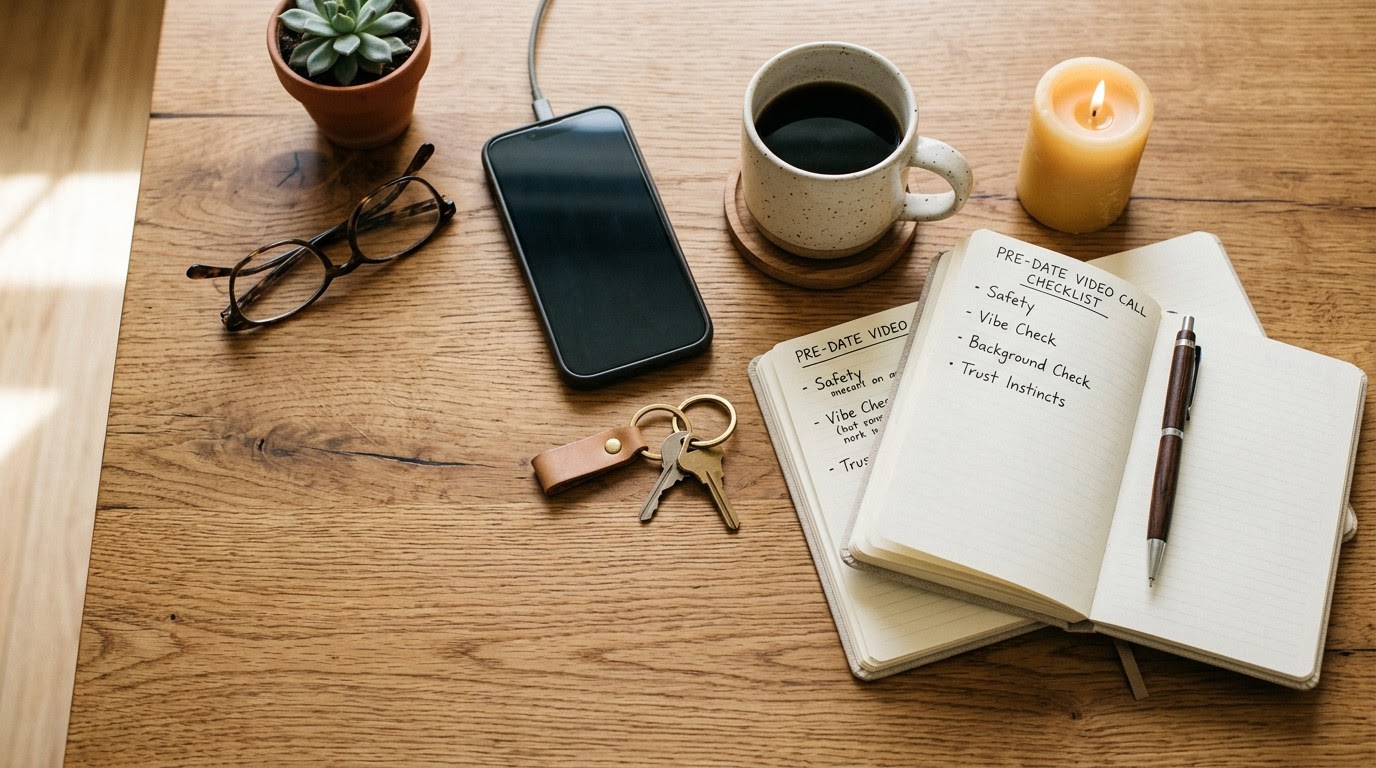
1. Run a preliminary TrustCheck identity lookup
Run a digital identity check before requesting a video call to establish a baseline background verification. Open TrustMatch, enter your date's first name along with their mobile phone number or email address, and initiate the search. In under a minute, you will receive a clear TrustScore and verification verdict that confirms whether their provided contact details correspond to authentic public identity records.
Start your verification process well before proposing a live call. When chatting on dating platforms like Tinder, Hinge, or Bumble, bad actors often supply disposable phone numbers, virtual messaging lines, or stolen identities. Inputting their primary phone number or email into the search tool cross-references real-time data feeds to surface immediate risk indicators. A strong TrustScore gives you confidence that the phone line links to an actual individual rather than an untraceable online routing service.
Save the verification summary output for your personal records before moving forward. If the search returns mismatch flags, carrier anomalies, or high-risk warnings, pause communication immediately to re-evaluate the interaction. If the preliminary search verifies cleanly, move forward with scheduling your live pre-date video interaction. Taking this initial step prevents you from spending time chatting with completely artificial automated profiles or remote cybercriminals.
Document any discrepancies you notice during the initial digital lookup phase. Compare the age, location region, and broad background details associated with the phone account against what the person stated in their bio. Identifying significant location mismatches early saves you from arranging complex meeting logistics with someone operating from another country or state under false pretenses.
2. Propose a low-pressure five-minute pre-date video chat
Ask your date for a brief five-minute video call before finalizing the time and public venue for your first date. Suggest popular, secure video options like FaceTime, WhatsApp, Google Meet, or Signal, framing the interaction as a casual vibe check. A positive response demonstrates transparency and genuine interest, whereas immediate excuses or total refusal indicate high potential for catfishing or profile fraud.
Frame your request naturally so your date feels comfortable rather than judged during the conversation. Text a simple script such as: "I am looking forward to meeting up on Friday! I always do a quick two-minute video vibe check before meeting someone new from dating apps. Let me know when you are free for a quick call tonight." This language sets clear personal safety boundaries without sounding defensive, aggressive, or overly transactional.
Pay close attention to how your date handles the suggestion. Genuine people who want to build mutual trust will readily accept a short video call to confirm chemistry before meeting. Catfish and scammers will offer scripted excuses, claiming their camera is broken, their lighting is too dim, their phone battery is low, or their personal beliefs forbid video calls. Treat any persistent refusal as a severe red flag and cancel the upcoming meeting immediately.
Select a video calling platform that does not expose extra personal information. Avoid platform options that display your full home address, full legal name, or personal social media handles directly on the call screen. Stick to standard encrypted chat applications that keep your profile details restricted to basic contact credentials.
3. Prepare a secure and neutral video calling environment
Configure your digital app settings and physical surroundings to protect personal privacy before placing or answering the video call. Mask personal identifiers in your room, such as street signs outside windows, framed graduation diplomas, work badges, or mail sitting on counters. Use built-in video app background blur features and conduct the call through end-to-end encrypted messaging applications rather than revealing your exact location.
Set up your physical space intentionally before going live on camera. Sit facing a plain, well-lit wall with direct light shining on your face rather than from behind your seat. Rearrange or remove household items that disclose your exact home address, financial standing, or family member identities. Maintaining total control over your visible environment allows you to engage comfortably without giving away private home details to someone you have never met in person.
Check your application settings before starting the video session. Verify that your camera, microphone, and application permissions do not share your real-time GPS coordinates or active geographic location pins. Use a dedicated secondary number or an encrypted chat tool like Signal or WhatsApp to initiate the call. Keeping your primary phone line and residential address unlinked safeguards your physical security throughout the pre-date screening stage.
Test your camera angle and microphone volume ahead of time. Position your device at eye level on a stable desk or stand rather than holding it in your hand. Handheld cameras wobble and tilt, making it harder for both parties to maintain eye contact and evaluate visual cues clearly during a quick conversation.
4. Test for deepfakes and digital filters during the call
Examine camera lighting dynamics, visual rendering edges, and physical motion during the live call to confirm human authenticity. Prompt your date to perform simple, dynamic gestures, such as turning their head side to side, waving a hand across their face, or adjusting their lighting source. Glitches, face blurring near the cheekbones, temporal flickering, or floating facial features reveal the use of AI face swaps or pre-recorded video loops.
Generative AI video tools and digital beauty filters have become highly accessible to online impostors. FTC financial reporting shows that romance scams led to over $1.3 billion in total victim losses in 2024, highlighting the rise of sophisticated online impersonation tactics. Cybercriminals use pre-recorded video snippets or software-driven face overlays that look realistic in static positions but break down during continuous physical movements.
Execute real-time motion prompts during your conversation to test digital rendering stability. Ask your date to hold up a specific nearby object, turn their head ninety degrees to reveal their full profile, or touch the tip of their nose on camera. Real human video feeds update smoothly without visual tearing, whereas deepfake overlays lag, distort around the eyes and mouth, or temporarily drop the fake mask altogether.
Listen carefully to audio synchronization throughout the conversation. Artificial video software often produces a subtle delay between lip movements and speech playback. If your date's voice sounds perfectly clear but their mouth movements lag by several seconds, they may be running a digital video overlay over a pre-recorded video stream.
5. Cross-check live details against dating profile claims
Compare your date's live answers against the background information, photos, and claims listed on their dating app profile. Prompt them with light, open-ended questions about their recent week, neighborhood coffee shops, or general career background to observe conversational flow. Look for authentic, unscripted responses that align seamlessly with their bio while watching for hesitations, contradictory facts, or rehearsed stories.
Guide the conversation toward casual local topics that require real neighborhood familiarity. Ask questions like: "What is your favorite weekend coffee spot near your apartment?" or "How long have you lived in the city?" A real person living in your metropolitan area answers effortlessly with local details. A remote scammer or fake profile operator struggles with specific geographic landmarks and often changes the subject back to generic romantic statements.
Evaluate facial features and physical appearance against their profile gallery. Verify that their age, height indicators, facial bone structure, voice pitch, and overall appearance match their uploaded dating photos. While minor differences due to photo age or simple grooming changes are normal, drastic discrepancies in appearance confirm that the profile relies on stolen, heavily edited, or outdated images.
Take mental notes on their speech patterns and emotional baseline. Authentic dates maintain steady eye contact, laugh naturally, and display genuine interest in learning about you. Impostors often appear distracted, stare off-screen at secondary monitors, or read scripted answers to common background questions.
6. Establish safe physical meetup parameters
Finalize safe, verifiable date parameters during the final minutes of your pre-date video conversation. Agree on a well-populated, high-visibility public location such as a busy daytime cafe, popular restaurant, or public museum, and explicitly confirm separate transportation arrangements. State your arrival and departure expectations clearly on camera so both parties understand the boundaries prior to meeting.
Never permit an online date to pick you up at your home address or private workplace for a first date. Explicitly confirm on the call: "I will drive myself and meet you right outside the main entrance at seven o'clock." Independent transportation ensures you can leave the date instantly if you feel uncomfortable at any point during the outing without relying on a stranger for a ride.
Document the agreed date itinerary immediately after hanging up the call. Text the venue name, exact street address, agreed meeting time, and a screenshot of your date's video profile to a close friend or family member. Set up a safety check-in time with your designated emergency contact, ensuring someone knows your whereabouts before you walk into the venue.
Choose public venues with active crowds and easy exit paths. Avoid quiet parks, secluded parking lots, dimly lit bars, or private residences for initial meetups. Meeting in bright, public places deters bad behavior and gives you immediate access to venue staff if you need assistance during the date.
Review the pre-date verification matrix
Use this reference table to evaluate each phase of your pre-date video verification process against specific safety standards. Review the targeted verification targets and immediately recognize severe warning signs that indicate profile falsification or scam risks. Aligning these checks ensures you identify potential security threats long before heading out to an in-person meeting.
| Step | What to verify | Red flag if missing |
|---|---|---|
| Initial Identity Check | Phone number registration, owner name consistency, TrustScore baseline validation. | Disallow search, disposable VOIP line, mismatched registration name, high risk verdict. |
| Video Call Proposal | Willingness to join a 5-minute live call on standard platforms. | Refusal to join, excuses regarding broken cameras, insistence on voice-only audio. |
| Visual & Motion Test | Natural lighting, authentic facial features, uninterrupted head movement rendering. | Blurring edges around face, distortion when waving hands, refusal to turn side-to-side. |
| Profile Information Check | Consistent local knowledge, age alignment, matching physical appearance. | Inability to name local landmarks, major age discrepancies, evasive background answers. |
| Meetup Logistics Setup | Agreement on high-traffic public venue and independent travel plans. | Pressure to meet in private spaces, refusal of public venue, offers to pick you up at home. |
Red flags during this process
Identify critical red flags that emerge while attempting to schedule or conduct your pre-date video verification call. Protect your safety by recognizing defensive behavior, technological manipulation, and coercive pressure tactics instantly. Discontinue all contact and block the user if any of the following high-risk indicators occur during your interaction routine.
Watch out for repeated, elaborate excuses regarding camera functionality. Scammers frequently claim that their front-facing camera is broken, their phone screen is shattered, or their employer's security settings prevent live video streaming. Modern smartphones manufactured in recent years universally support video calling; persistent technical excuses are almost always dishonest fabrications designed to conceal an identity mismatch.
Beware of sudden requests for financial assistance, gift cards, emergency transfers, or investment advice made prior to or during the call. Fraudsters frequently fabricate tragic personal emergencies, travel difficulties, or business crises to request quick payments. Never send money, share banking information, or buy digital gift cards for anyone you met on a dating app, regardless of how convincing their story sounds on video.
React decisively to aggressive guilt trips or verbal manipulation tactics. If your date accuses you of lacking trust, being paranoid, or insulting them simply because you requested a brief video call, end the interaction immediately. A legitimate partner respects basic safety boundaries and willingly participates in quick verification to ensure mutual comfort and physical safety.
Pay close attention to severe environmental discrepancies during the call. If your date claims to live in a major cold-weather metropolitan city but appears on camera in a tropical outdoor setting with background sounds of foreign languages or traffic, they are deceiving you about their physical location. Trust your observation skills over their verbal explanations.
Follow the quick pre-date checklist
Follow this numbered action list in exact chronological order prior to heading out on any first date arranged through an online platform. Completing each step guarantees that your verification process covers phone lookup, visual confirmation, and safety planning systematically. Keep this routine saved on your phone for immediate access before every new meetup.
- Run your contact's first name and mobile phone number through TrustMatch to evaluate their preliminary risk assessment and TrustScore.
- Send a casual text message proposing a quick five-minute video call on FaceTime, WhatsApp, or Signal to verify chemistry.
- Position your device in front of a plain background while adjusting lighting to ensure your face is clearly visible without revealing private home details.
- Ask your date to turn their head side to side or wave their hand across their face to test for AI video overlays and deepfakes.
- Ask light questions about their local neighborhood and verify that their physical appearance matches their dating app profile photos.
- Confirm date parameters at a busy public location, ensure independent transportation, and share your date itinerary with a trusted friend.
As of November 2026, incorporating pre-date video checks into your routine serves as an essential safety standard for modern dating safety. These verification steps protect your physical safety and peace of mind while maintaining mutual respect with a legitimate dating partner. Utilizing TrustMatch ensures you enter every real-world date with complete confidence and clarity.
Frequently asked
Why should I insist on a video call before meeting an online date in person?
A brief video call eliminates catfishing risks by confirming that your date matches their profile photos in real time. It establishes basic chemistry, reveals communication style, and helps detect digital impersonation or AI deepfakes before you spend time traveling to a physical venue.
How can I spot an AI deepfake or video filter during a call?
Look for visual glitches around the edges of their face, awkward lighting shifts, or audio delays. Ask the person to perform unscripted physical actions, such as waving a hand across their eyes, turning their head completely to the side, or moving closer to their camera.
What should I do if my online date refuses to do a video call?
Treat any persistent refusal as a significant security red flag. Scammers often cite broken cameras, poor connections, or personal modesty to avoid camera exposure. Politely decline to meet in person unless they agree to a brief video verification call on a secure platform.
Is asking for identity verification before a first date offensive?
No, safety-conscious individuals understand and respect reasonable verification requests. Frame the request as a casual pre-date vibe check rather than an interrogation. Legitimate dating partners welcome steps that protect both parties and ensure a safe, comfortable real-life meeting environment.
How does running an identity check complement a video call?
A digital identity check validates that phone numbers and contact details align with real-world public records before you jump on camera. Combining preliminary contact screening with live video confirmation provides multi-layered protection against catfish, automated bots, and romance scammers.
More in Guide
- How to Safely Sell High-End Trading Cards to In-Person Buyers
November 15, 2026
- How to Safely Buy a Used Tiny House From a Private Seller
November 11, 2026
- How to Safely Buy a Used Smartphone From a Private Seller
November 8, 2026