How to Safely Buy a Used Smartphone From a Private Seller
· 9 min read
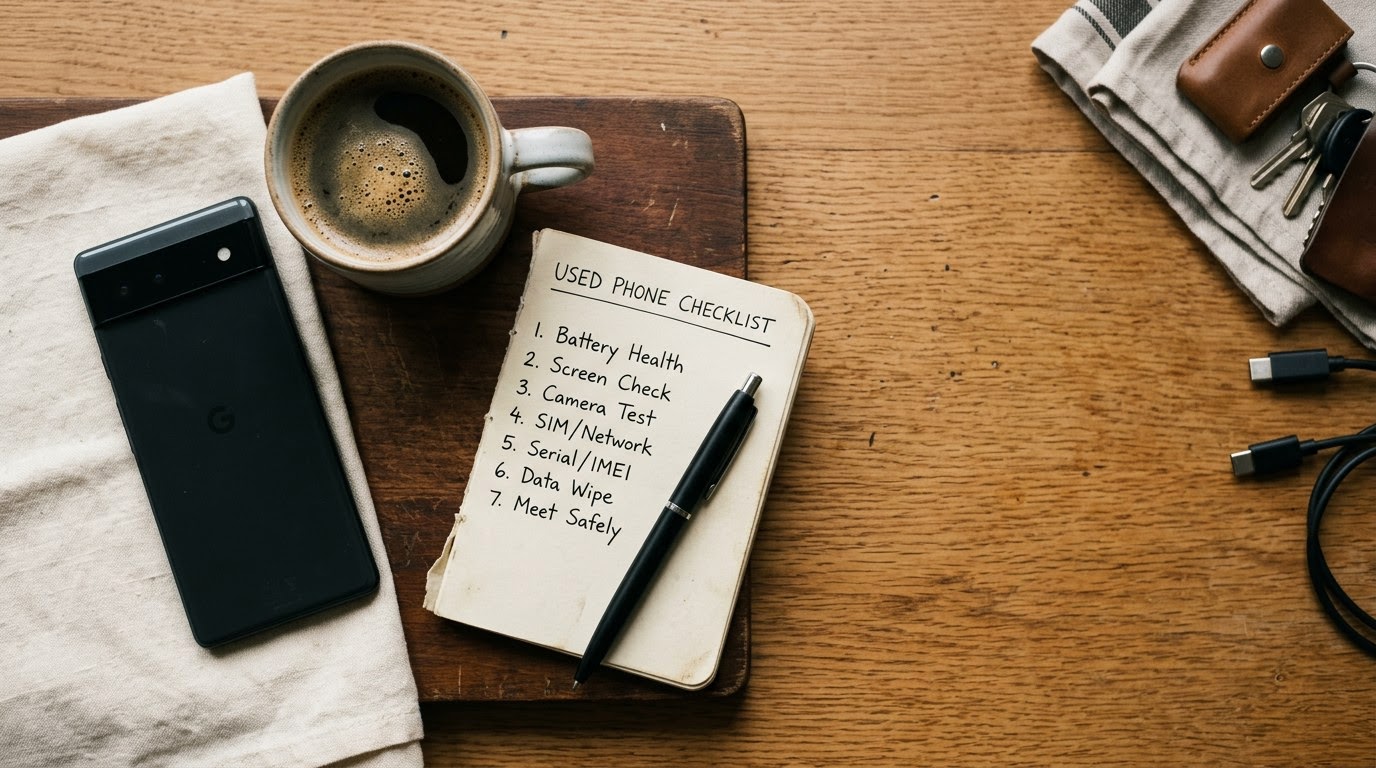
Use this guide when you are about to buy a pre-owned iPhone or Android device from a private seller on platforms like Facebook Marketplace, OfferUp, or Craigslist. Before handing over your money, use TrustMatch to verify their identity and ensure you do not walk into a scam.
1. Run a TrustCheck on the seller
Verify the identity of the private seller before you agree to meet in person or send a deposit. Open the TrustMatch platform, enter the seller's first name and their phone number or email address, and initiate a search. You will receive a TrustScore and risk verdict in under a minute, confirming whether the seller is a verified individual or an anonymous fraudster using burner contact details.
Private sales on online marketplaces carry significant financial risk because fraudulent sellers frequently use temporary phone numbers, fake profile photos, and stolen social media accounts. Asking a seller to confirm their identity creates accountability. Honest sellers who own the phone legitimately will have no problem providing their real contact information for verification.
Federal Trade Commission data shows phone-related marketplace scam reports exceeded $100 million in reported losses in 2024. Identity verification eliminates the risk of meeting a phantom seller who plans to rob buyers or sell blacklisted hardware. When the TrustScore flags high risk or mismatched records, walk away from the transaction immediately without scheduling a meetup.
Keep records of your identity check alongside the seller's listing details. Having verified identity information ensures you know exactly who you are dealing with before taking out cash or traveling across town to conduct a transaction.
2. Verify the IMEI number against national blacklist databases
Request the 15-digit International Mobile Equipment Identity (IMEI) number from the seller before traveling to the meeting location. Dial *#06# on the phone's keypad to display the true internal IMEI on the screen, then cross-reference it against official carrier blacklist registries such as Swappa Check, CTIA Stolen Phone Checker, or CheckESN. A clean IMEI confirms the phone is not reported lost, stolen, or blocked due to unpaid carrier bills.
Sellers who refuse to provide the IMEI in advance often claim they want to prevent IMEI cloning. While cloning occurs, legitimate sellers can safely share the first 10 digits or allow you to inspect the number live on site. Never accept a photograph of a barcode from an external box without matching it to the internal software system.
Check the back of the SIM tray, the physical box, and the internal software settings menu under General Settings to confirm all three numbers match. Discrepancies between physical labels and software readouts indicate a motherboard swap, refurbished chassis replacement, or stolen hardware components.
Verify carrier status directly through major network portals such as AT&T, T-Mobile, or Verizon IMEI checkers. Devices tied to delinquent customer accounts may work initially but will shut down within days once carrier billing cycles resolve. Ensure the blacklist status reports clean and fully eligible for activation on your designated network provider.
3. Confirm Apple Activation Lock and Google Factory Reset Protection are removed
Check that Apple Activation Lock or Android Factory Reset Protection (FRP) is completely disabled before handing over cash. Have the seller open Settings, navigate to the primary account profile, select sign out, and enter their password to unbind their personal account. Restart the phone and walk through the initial activation screen to verify the device allows a fresh setup without requesting previous account credentials.
Activation locks serve as anti-theft security measures designed to render stolen devices completely unusable to secondary buyers. If a seller hands you a device locked to an Apple ID or Google account and claims they forgot the password, the phone is useless hardware or stolen property. Never pay for a phone with an active cloud lock under the promise that the seller will unlock it remotely later.
On iPhones, verify that Find My iPhone is toggled off under iCloud settings. On Android devices, verify that all Samsung Accounts and Google accounts are removed from the Accounts and Backup menu. Perform a full factory reset directly from the settings menu during your inspection process.
Once the factory reset completes, complete the setup wizard using your own SIM card or local Wi-Fi connection. If the setup screen proceeds smoothly to the home screen without prompt errors, the device is fully unlinked and safe to purchase.
4. Inspect physical hardware and run internal diagnostic routines
Perform a meticulous physical inspection of the body, glass panels, camera lenses, charging port, and mechanical buttons under bright light. Use built-in factory diagnostic codes—such as dialing *#0*# on Samsung Galaxy phones or accessing third-party testing apps on iPhones—to evaluate touch screen digitizer accuracy, speaker clarity, vibration motors, and sensor performance.
Inspect the screen for hairline cracks, touch dead zones, and display discoloration along the edges. Move an app icon across the entire screen grid to ensure the digitizer tracks fluid touch input across every pixel. Pay close attention to third-party screen replacements, which often lack True Tone support on iOS devices or feature lower refresh rates on Android panels.
Check the internal battery health percentage in the device settings menu. For iPhones, navigate to Battery Settings and verify Maximum Capacity; a value below 80 percent indicates the battery requires immediate professional replacement. Check Android battery cycle counts and health indicators using native diagnostic menus or manufacturer system care apps.
Inspect the Liquid Contact Indicators (LCI) located inside the SIM card slot tray. A pink or bright red indicator proves the smartphone suffered water exposure, which leads to sudden motherboard corrosion and premature hardware failure. Reject any device exhibiting liquid intrusion signs regardless of current operational appearance.
5. Insert your active SIM card to perform live call and data tests
Insert your personal, activated nano-SIM card or configure a test line to confirm cellular functionality and network hardware operation. Place a 30-second phone call to verify earpiece volume, primary microphone sensitivity, speakerphone operation, and cell tower signal retention. Turn off Wi-Fi to test mobile data throughput over 5G or LTE networks by loading several web pages.
Carriers enforce device locks that restrict smartphones to specific networks until contractual obligations finish. If your SIM card triggers a "SIM Not Supported" or "Network Locked" alert on screen, the phone cannot connect to your provider. Require the seller to contact their carrier and complete the official carrier unlock process before proceeding with payment.
Test all wireless radio modules, including Wi-Fi, Bluetooth, GPS navigation, and Near Field Communication (NFC). Connect the smartphone to a portable Wi-Fi hotspot, pair it with Bluetooth headphones, and open Google Maps or Apple Maps to verify GPS location locking. Test NFC by attempting a contactless card scan or checking system diagnostic flags.
Plug a charging cable connected to a portable power bank into the charging port to verify power delivery and port stability. Gently wiggle the connector to ensure internal port pins are not loose or damaged. Verify wireless charging functionality on compatible devices using a portable Qi charging pad.
6. Meet in a public safe-exchange zone and complete cash or digital payment securely
Arrange the in-person transaction at a designated safe-exchange spot, such as a well-lit police department parking lot, bank lobby, or official carrier retail store. Complete the transaction in daylight and bring a friend with you for added security. Never agree to meet in isolated parking lots, private residences, or late at night.
Carrier retail stores serve as ideal testing locations because representatives can confirm network compatibility, verify account status, and assist with SIM provisioning on site. Police department safe-exchange zones feature active 24-hour video surveillance, discouraging fraudsters and robbery setups.
Pay using traceable payment methods or direct cash exchange only after completing all physical and diagnostic hardware checks. Avoid high-risk payment channels like wire transfers, cryptocurrency, gift cards, or upfront digital deposits requested prior to seeing the phone. If paying cash, count the bills directly in front of the seller after finalizing the hardware inspection.
Request a digital bill of sale or written receipt containing both parties' full names, date of sale, phone serial number, IMEI number, and total purchase price. Retain copies of the online marketplace listing and messaging threads alongside your verification logs for future reference.
Smartphone verification checklist matrix
Refer to this structured matrix during your pre-purchase inspection to evaluate critical hardware and security components systematically. Reviewing these key inspection points during a private phone purchase allows you to verify hardware functionality, cloud security status, seller credibility, and network compatibility step by step while quickly recognizing deal-breaking red flags before money changes hands.
| Step | What to verify | Red flag if missing |
|---|---|---|
| Seller Identity Check | Verified name, phone number, and TrustScore match seller details | Seller uses burner details, refuses verification, or profile is flagged high risk |
| IMEI & Blacklist | Clean IMEI on national blacklist databases matching internal system software | Mismatched physical/software IMEI, reported lost/stolen, or unpaid carrier balance |
| Cloud Locks | iCloud or Google FRP completely signed out and Find My disabled | Active Apple ID, Google account prompt, or seller claims forgotten password |
| Hardware & Battery | Touch screen, battery health over 80%, clean SIM water indicator, operational cameras | Touch dead zones, pink water damage indicator, battery under 80%, non-genuine parts warning |
| Network Connectivity | Active SIM accepts phone calls, 5G data loads, Wi-Fi, Bluetooth, and GPS working | "SIM Not Supported" alert, no cellular signal, broken charging port, failing Wi-Fi radio |
| Safe Payment | Public meetup at police station or carrier store, bill of sale completed | Seller demands upfront deposit, remote shipping, wire transfer, or dark location meetup |
Quick checklist for private phone purchases
Follow this sequential action checklist when evaluating a pre-owned smartphone from an online marketplace listing through to final payment. Executing these physical and security verification steps in strict numerical order protects your personal safety, safeguards your money, and guarantees that you receive an unencumbered, fully functional smartphone from a verified seller.
- Verify seller identity using TrustMatch to ensure you are dealing with a legitimate seller with clear identity records.
- Obtain the 15-digit IMEI number by dialing *#06# and check national blacklist registries for stolen flags or unpaid balances.
- Inspect physical hardware, display responsiveness, camera lenses, battery health percentage, and SIM tray water indicators.
- Require the seller to sign out of iCloud or Google accounts and execute a full factory reset in your presence.
- Insert your active SIM card to make a test call, run 5G mobile data speed tests, and verify wireless connections.
- Complete the sale in a public safe-exchange zone and draft a written bill of sale with matching serial numbers.
Red flags during this process
Be prepared to abort the transaction immediately if the seller exhibits suspicious behaviors or technical irregularities mid-routine. If a seller refuses to share the IMEI number, demands an advance money deposit to hold the device, or insists on changing the meeting location to an unlit, isolated area, cancel the transaction. Never compromise your personal safety or financial security for a discount on electronics.
Watch for technical red flags during hardware inspection, such as pop-up warnings indicating "Important Display Message" or "Unknown Part" in iPhone settings, which reveal unverified third-party repair work. Be cautious if the seller pressures you to hurry through testing or claims they are in a rush to catch a flight. Scammers rely on time pressure to prevent buyers from noticing cloud locks or hardware defects.
If the device displays an active activation lock after factory resetting, do not accept excuses. Sellers who claim they can unlock the phone remotely from home after you pay are running an established scam. Demand an immediate refund or walk away if cash has not exchanged hands.
Trust your instincts when evaluating seller communication. When a seller becomes hostile upon being asked to run a quick identity check through TrustMatch, discontinue all contact immediately. Genuine private sellers value safe, transparent transactions as much as buyers do.
These verification steps protect your hard-earned money and personal safety while maintaining mutual respect with honest private sellers.
Frequently asked
How can I tell if a used smartphone is stolen before meeting the seller?
Ask the seller for the 15-digit IMEI number before scheduling a meeting. Check the IMEI against national databases like Swappa Check, CTIA Stolen Phone Checker, or CheckESN. A clean search report confirms the device is not flagged as lost, stolen, or blocked for non-payment.
What should I do if a seller refuses to give me the IMEI number?
Decline the meeting and walk away from the transaction. Refusing to share the IMEI number is a major red flag that often indicates the phone is stolen, blacklisted, or bound to unpaid carrier contracts. Honest sellers readily share IMEI details or allow live verification.
Can an iCloud lock or Google FRP lock be removed after purchase?
No, you should never purchase a locked device expecting to remove cloud locks later. Activation locks require the original owner's account password. If the seller cannot sign out of iCloud or Google FRP in front of you, the smartphone is permanently unusable and likely stolen.
Where is the safest place to meet a private seller for a phone transaction?
Meet in a designated safe-exchange zone such as a police station lobby or inside an official carrier retail store. Police stations provide active video surveillance and security, while carrier stores allow technical representatives to verify network compatibility and SIM provisioning live during the meetup.
What native diagnostic codes can I use to test an Android phone?
Dial *#0*# on Samsung smartphones to launch the factory hardware diagnostic menu. This interface allows you to test touch screen digitizer grids, RGB display panels, vibration motors, stereo speakers, front and rear camera lenses, and receiver sensors before completing your purchase.
More in Guide
- How to Safely Sell High-End Trading Cards to In-Person Buyers
November 15, 2026
- How to Safely Conduct a Video Verification Call Before a First Date
November 13, 2026
- How to Safely Buy a Used Tiny House From a Private Seller
November 11, 2026