How to Safely Verify Sellers When Buying Items on Discord
· 11 min read
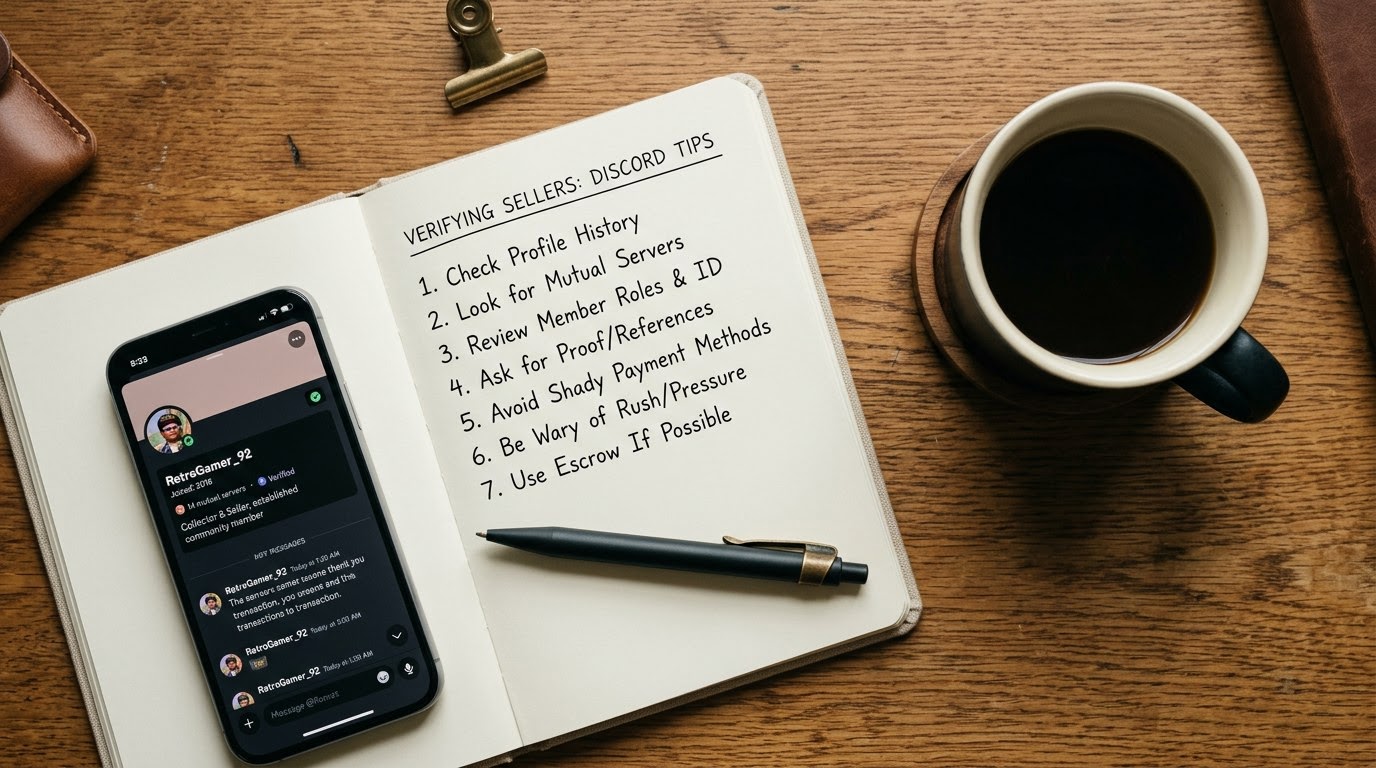
1. Audit the Discord Profile and Account Creation Date
To verify a Discord seller, inspect their user profile details, account registration date, unique user ID, and server participation history. A newly registered account with zero mutual servers or no message history signals high scam risk. Check their Discord badge history, custom avatar, linked social connections, and roles within reputable trading communities. Legitimate sellers maintain established footprints on servers with public vouch threads, clear message histories, and active participation.
Start by enabling Developer Mode in your Discord settings. Right-click the seller's username and select "Copy User ID." Paste this numerical ID into an online Discord snowflake lookup tool to extract the exact account creation timestamp. Accounts created within the last 30 to 90 days carry extreme risk, as fraudsters routinely generate throwaway accounts after previous burner profiles get banned.
Examine the seller's profile connections next. Legitimate traders often link verified accounts from Steam, Twitter, Reddit, YouTube, or Spotify directly to their Discord profiles. Click through these external links to ensure they lead to active, established profiles rather than empty shells created on the same day.
Review the seller's server activity across shared communities. Search the seller's handle in server message archives to analyze their post history. Check whether they contribute constructively to discussions or if their entire history consists of copy-pasted sales pitches. In dedicated marketplace servers, inspect the designated "vouch" or "rep" channels. Look for vouches from long-standing server members rather than brand-new accounts that may be alt profiles controlled by the scammer.
2. Demand Custom Timestamped Item Proof
Require the seller to provide a clear, physical photo or video showing the exact item alongside a handwritten note containing today's date, your Discord username, and their username. Scammers frequently steal legitimate product photos from eBay or Mercari. Demanding a unique handwritten timestamp with specific details ensures the seller physically possesses the physical item in real time and cannot simply copy images from external listings.
Specify exact placement details when requesting your timestamped photo. Ask the seller to write today's date, your specific Discord tag, and a unique five-digit number you provide on a plain sheet of paper. Instruct them to place the paper directly on top of or next to the item in direct lighting.
Analyze the photo file using digital image tools or a reverse image search engine like Google Images or Tineye. Upload the timestamp photo to verify that the underlying background does not match a previously indexed listing on eBay, Reddit, or Craigslist. Scammers often attempt to Photoshop text onto stolen images; inspect the lighting, font shadows, and paper edges closely for signs of digital manipulation.
For high-value electronics or digital goods, ask for specific physical details. If you are buying a graphics card, mechanical keyboard, or gaming handheld, ask the seller to show a specific angle, serial number tag, or functional LED light pattern. If the seller makes excuses about lack of camera access, poor lighting, or being away from home, pause the transaction immediately.
3. Run a TrustCheck Identity Verification
Perform an instant identity check using TrustMatch to verify the seller's real-world identity before transferring any money. Ask the seller for their first name and their mobile phone number or email address, then enter these details into TrustCheck to generate a TrustScore and risk verdict in under a minute. This quick check confirms whether the provided details match a verified individual or belong to disposable VOIP numbers and throwaway webmails.
Frame this request directly to the seller as standard trade procedure. State clearly that you perform a quick identity verification for all peer-to-peer Discord purchases over a specific dollar threshold. A legitimate seller who regularly conducts business online will understand your need for security and will provide their name and contact information without defensive pushback.
Enter the seller's first name alongside their mobile phone number or primary email address into the search interface. TrustMatch analyzes cross-referenced public identity data, carrier records, and risk signals to calculate a clear TrustScore. Pay close attention to the risk verdict flag returned by the system.
Evaluate the result flags carefully. High-risk indicators include phone numbers assigned to virtual VOIP services like Google Voice or TextNow, domain registrants matching known burner email providers, or name-to-number mismatches. If the TrustScore indicates a high probability of synthetic identity or burner contact information, cancel the deal on the spot.
4. Verify Off-Platform Social and Marketplace Reputation
Cross-reference the seller's claimed real name and online alias against established third-party platforms such as eBay, Reddit, Twitter, or LinkedIn. Ask the seller to send a direct message from their linked social profile or marketplace account to confirm ownership. Honest sellers who regularly trade high-value goods maintain verifiable public feedback records across multiple platforms and will gladly confirm their identity on an established external account.
Request links to the seller's external marketplace profiles. If the seller claims to have hundreds of positive feedback reviews on Reddit (such as r/Hardwareswap or r/WatchExchange) or eBay, demand confirmation that the profile actually belongs to them. Never rely on screenshots of feedback scores, as screenshots are effortless to fake.
Perform live cross-platform messaging verification. Ask the seller to send you a quick private message directly from their established Reddit account or Twitter handle containing your Discord username. Alternatively, if they sell on eBay, ask them to list a dummy item or send a message through eBay's official messaging system.
Validate the age and depth of those external profiles. An eBay account created three days ago with zero feedback provides no security. A Reddit account with thousands of karma points and a six-year history of active participation in hardware or hobbyist communities provides strong corroborating evidence of a legitimate trader.
5. Insist on Buyer-Protected Payment Gateways
Choose payment methods that provide buyer protection, such as PayPal Goods and Services, while rejecting non-refundable options like Zelle, Cash App, Venmo, or cryptocurrency. Peer-to-peer payment apps offer zero fraud protection for commercial transactions with strangers. Insisting on protected payment channels ensures you have formal dispute recourse if the seller fails to ship the promised item or sends a fake product.
According to the FTC, public reporting of losses from scams originating on social media and messaging platforms exceeded $1.4 billion in 2024.
Reject all demands to use "Friends and Family" options on PayPal or Venmo. Scammers frequently offer a small discount if you pay via Friends and Family, claiming it allows them to avoid processing fees. Remind yourself that selecting Friends and Family waives your right to open a fraud claim or recover your money if the package never arrives.
Calculate and offer to cover the commercial transaction fees yourself. Tell the seller you will add 3% to 4% to the total purchase price to cover their PayPal Goods and Services processing fee. If a seller flatly refuses your offer to cover the fee and still insists on un-protected cash apps, they are almost certainly setting up a scam.
Keep detailed invoices for protected transactions. Ensure the PayPal Goods and Services invoice lists the complete item description, physical serial numbers, condition details, and shipping terms. Clear invoice descriptions provide undeniable evidence if you need to file an item-not-received or significantly-not-as-described claim later.
6. Conduct a Live Video Verification Call
Request a brief five-minute video call via Discord or phone before finalizing any purchase over fifty dollars. Ask the seller to turn on their camera, introduce themselves, and show the item live from multiple angles while answering a few quick questions about its condition. Scammers operating fake accounts, stolen identities, or offshore syndicates will consistently make excuses to avoid showing their face or the physical item on video.
Initiate the video call request directly inside your Discord private message thread. Click the video call icon in the top header of your direct message window. Ask the seller to stream their camera view rather than screen-sharing pre-recorded videos or photo galleries.
Ask the seller to perform specific actions live on camera. Ask them to flip the item over, open a drawer or box, power on the device, or point their camera at a specific serial number tag. Real sellers physically holding an item can complete these requests in five seconds. Scammers running pre-recorded video loops or displaying stolen stream feeds will hesitate, glitch, or drop the call.
Listen closely to audio cues and environmental responses. Scammers operating out of organized call centers or offshore fraud rings often display audio lag, background chatter, or mismatching regional accents compared to their claimed location. A genuine individual selling private items from their home will have no issue chatting casually while demonstrating the item on video.
Summary Matrix: Verification Steps and Red Flags
Use this structured matrix to evaluate each stage of your interaction with a Discord seller. Comparing the required verification task against common seller behaviors allows you to identify fraudulent intent before sending payment. Always cross-reference profile data, identity checks, and payment requests against these baseline standards to protect your money during peer-to-peer online purchases.
| Step | What to verify | Red flag if missing |
|---|---|---|
| 1. Profile Audit | Account age over 90 days, active server participation, linked external social accounts, and legitimate community vouches. | Account created under 30 days ago, zero shared server history, no external links, or clean message logs. |
| 2. Timestamp Photo | Physical item shown next to handwritten note with today's date, your Discord handle, and custom code. | Seller provides stock photos, refuses custom angles, shows digitally edited text, or claims lack of camera access. |
| 3. TrustCheck Search | Verified name match, mobile carrier line confirmation, high TrustScore, and absence of VOIP or burner flags. | Seller refuses to share first name or phone, or TrustScore reveals burner VOIP numbers and synthetic identity data. |
| 4. External Reputation | Direct confirmation message sent from an established Reddit, eBay, or Twitter account with extensive public history. | Seller relies on screenshots of reviews, refuses off-platform messaging, or links to newly created external profiles. |
| 5. Payment Selection | Buyer-protected commercial payment methods like PayPal Goods and Services with detailed item invoices. | Insistence on Zelle, Cash App, Crypto, or PayPal Friends and Family even when offered extra fee coverage. |
| 6. Live Video Call | Brief live video stream displaying the seller's face and physical item responding to real-time movement requests. | Seller claims broken webcam, bad internet connection, extreme shyness, or uses pre-recorded video feeds. |
Quick Checklist Before Sending Any Funds
Follow this sequential checklist immediately before initiating any money transfer to a seller on Discord. Executing these practical steps in order ensures you do not overlook hidden account risks, unverified identities, or unsafe payment methods. Complete every action item sequentially to verify the seller's legitimacy and protect your funds against peer-to-peer commerce fraud.
- Copy the seller's Discord User ID and verify that their account registration date is older than 90 days.
- Obtain a physical photo of the item next to a handwritten paper showing today's date and your unique Discord handle.
- Run a TrustCheck search using the seller's first name and mobile phone number to confirm identity validity and score.
- Send a direct message on an external platform (like Reddit or eBay) to verify account ownership.
- Confirm the seller accepts PayPal Goods and Services with a fully detailed purchase description in the invoice.
- Complete a short video call on Discord to view the item live in real time before approving the transfer.
Red Flags During This Process
Pay immediate attention to suspicious behaviors that arise while vetting a seller on Discord. Scammers rely on artificial urgency, evasive answers, shift tactics, and non-standard payment demands to bypass your natural caution. Recognizing these warning signs mid-process allows you to halt the transaction immediately, block the user, and report their profile to server moderators before suffering financial loss.
Watch out for artificial urgency and pressure tactics. If a seller insists that five other buyers are waiting with cash in hand or claims you must send funds within ten minutes to hold the item, slow down. Fraudulent sellers construct fake time pressure to force quick, emotional payment decisions before you can run proper background checks or identity verifications.
Be alert if the seller suddenly changes payment details right at the final step. A common tactic involves agreeing to PayPal Goods and Services initially, only to claim their business PayPal account is experiencing technical glitches right when you are ready to send money. They will then request that you switch to Zelle, Cash App, or Crypto just this once. Terminate the deal immediately if payment terms shift.
Pay attention to evasive communication patterns. If the seller answers simple questions about the item's origin, condition, or shipping method with vague responses, or gets angry when asked for extra photos, treat it as a major red flag. Honest sellers are proud of their inventory and happy to answer specific condition questions.
Notice if the seller insists on taking communication off Discord to an unencrypted text message line or an untraceable chat app like Telegram. Scammers move targets off organized Discord servers to prevent server admins from seeing fraudulent pitch messages and banning their accounts. Keep all transaction records and chat logs strictly within your established Discord message thread.
By integrating TrustMatch into your buying routine, you filter out fraudulent accounts without derailing honest trades. These verification steps protect your hard-earned money while respecting the privacy of legitimate sellers who are willing to build mutual trust.
Frequently asked
Why should I avoid using PayPal Friends and Family when buying on Discord?
PayPal Friends and Family is designed exclusively for money transfers between trusted personal contacts. It waives all buyer protection rights, meaning PayPal will not reimburse you or process a dispute if the seller takes your money and fails to ship the item.
What should I do if a Discord seller refuses to run a TrustCheck?
If a seller refuses a simple identity verification check, treat it as a major red flag and cancel the transaction. Honest sellers trading goods peer-to-peer are willing to confirm their identity to complete a secure sale.
How can I tell if a timestamped photo on Discord is fake?
Examine the image for unnatural lighting, font shadows around the written text, or blurry paper edges that suggest digital editing. Perform a reverse image search on Google to see if the item photo was stolen from an older listing.
Are Discord server vouches completely reliable for seller safety?
Server vouches are helpful but not foolproof. Scammers frequently create multiple alternate Discord accounts to vouch for themselves or purchase aged accounts to fabricate trading history. Always combine server vouches with independent identity verification.
What is the safest payment method for peer-to-peer purchases on Discord?
PayPal Goods and Services is the safest standard payment method because it includes buyer protection and formal dispute mechanisms. Always make sure the invoice includes a detailed description of the exact item and shipping conditions before paying.
More in Guide
- How to Safely Sell High-End Trading Cards to In-Person Buyers
November 15, 2026
- How to Safely Conduct a Video Verification Call Before a First Date
November 13, 2026
- How to Safely Buy a Used Tiny House From a Private Seller
November 11, 2026